Summary
Updates, two-factor login and a firewall are each necessary for a WordPress store, and none is enough alone.
Each one leaves a gap open. The gaps are unpatched flaws, hostile updates, logins that were never the way in, and browser scripts. This guide gives you a layers table, a minimum routine, and a first-hour checklist for after a hack.
Introduction
This article replaces the 2020 version, which was one list of advice. In 2026 you need a map of the gaps, not a longer list.
Versions and figures are as of 6 November 2026. Plugins, releases and threat data change fast, so check the date on any line before you act.
This is not a 21-tip checklist. A longer WooCommerce tip list already exists, and this piece does not repeat it. Each section instead shows one thing a layer leaves open, and who should own that gap.
Where a point is Virtina’s judgement and not a cited fact, the text says so.
Table of Contents
- Why is "update, add 2FA, install a firewall" still the standard advice?
- What do updates leave open?
- What does two-factor login leave open?
- What does a firewall leave open?
- Which security layers cover which gaps?
- What is the minimum security routine for a WordPress store?
- What should you do in the first hour after a hack?
- What does Virtina do for WordPress store security?
- People Also Ask
- Conclusion
- Frequently asked questions
Why is "update, add 2FA, install a firewall" still the standard advice?
It is still the standard advice because each step closes a real door. The 2020 version of this post said much the same.
Updates close known flaws. Two-factor login blocks stolen-password logins. A firewall filters hostile requests before they reach your store.
What has changed since the 2020 version?
Attackers now go after plugins far more than WordPress core. Patchstack’s state of WordPress security report counts 11,334 new vulnerabilities in 2025, up 42% on 2024. The page is dated 25 February 2026.
Patchstack puts 91% of them in plugins and 9% in themes. Only six were in core, and all were low priority. As far as published data shows, the risk sits in the plugin layer and how you run it.
Bots add pressure. Imperva’s 2025 Bad Bot Report, published 15 April 2025, says automated traffic was 51% of web traffic in 2024. Bad bots made up 37%, and account takeover attacks rose 40%.
That is vendor data and not specific to WordPress. No WooCommerce-specific credential stuffing rate turned up in the sources checked.
The threats to plan for are bot logins, plugin vulnerabilities and supply-chain compromise. OWASP Top 10:2025 ranks broken access control first (A01) and software supply chain failures third (A03).
Broken access control is a flaw that lets a visitor do what only a logged-in user should do. Supply-chain compromise means the attack arrives through software you trusted.
What does a store that did all three things still miss?
Illustrative example, not a client case. A mid-size WooCommerce shop updates monthly, requires app-based codes for admins, and runs a firewall plugin. Over one year, three things still go wrong, one per layer.
First, a flaw in a form plugin goes public through vulnerability disclosure before any fixed version exists. The monthly update cannot help, because there is nothing to install. Second, a plugin the owner trusted changes hands, and its next update ships a bad file.
Third, a script is added to the checkout page and runs in the shopper’s browser. The firewall sees a normal request, and no login is involved, so two-factor never fires.
Nothing here needs a careless owner. Whether a store is built in-house or through WordPress services, the same three gaps appear. The rest of this article maps them.
What do updates leave open?
Updates leave open every flaw that has no patch yet, and every update that is itself the attack. They are still the most useful habit you have. They are not a complete defense.
What if there is no patch to install?
Patchstack reports that 46% of vulnerabilities had no patch at disclosure. For heavily exploited vulnerabilities, its weighted median time to first exploit was 5 hours. About half of high-impact flaws were exploited within 24 hours.
Virtual patching helps in that window. A firewall rule blocks the known attack before the vendor fix arrives.
What happens when the update is the attack?
Three documented incidents show the update channel itself being used as the attack.
In July 2025, Patchstack reported malware in Gravity Forms downloads. Only manual downloads and Composer installs were affected, not automatic updates. Patchstack said the spread did not look widespread.
Anchor Host, a hosting operator, wrote up the Essential Plugin case, and its report is the single source. It says a buyer acquired the plugins and planted a backdoor in August 2025. The backdoor activated in April 2026, and WordPress.org closed the plugins on 7 April.
The Hacker News reported the Smart Slider 3 Pro case on 10 April 2026. It cited Patchstack and the vendor. A malicious Pro build was pushed for about six hours and then pulled.
Patch fast, but also watch who owns each plugin and keep a restore point. That is Virtina’s view, drawn from these three cases.
Should you turn on auto-updates?
WordPress installs minor core updates automatically by default. Plugin and theme auto-updates are off by default, apart from critical patches that the WordPress.org API flags. A per-plugin toggle arrived in WordPress 5.5 in 2020.
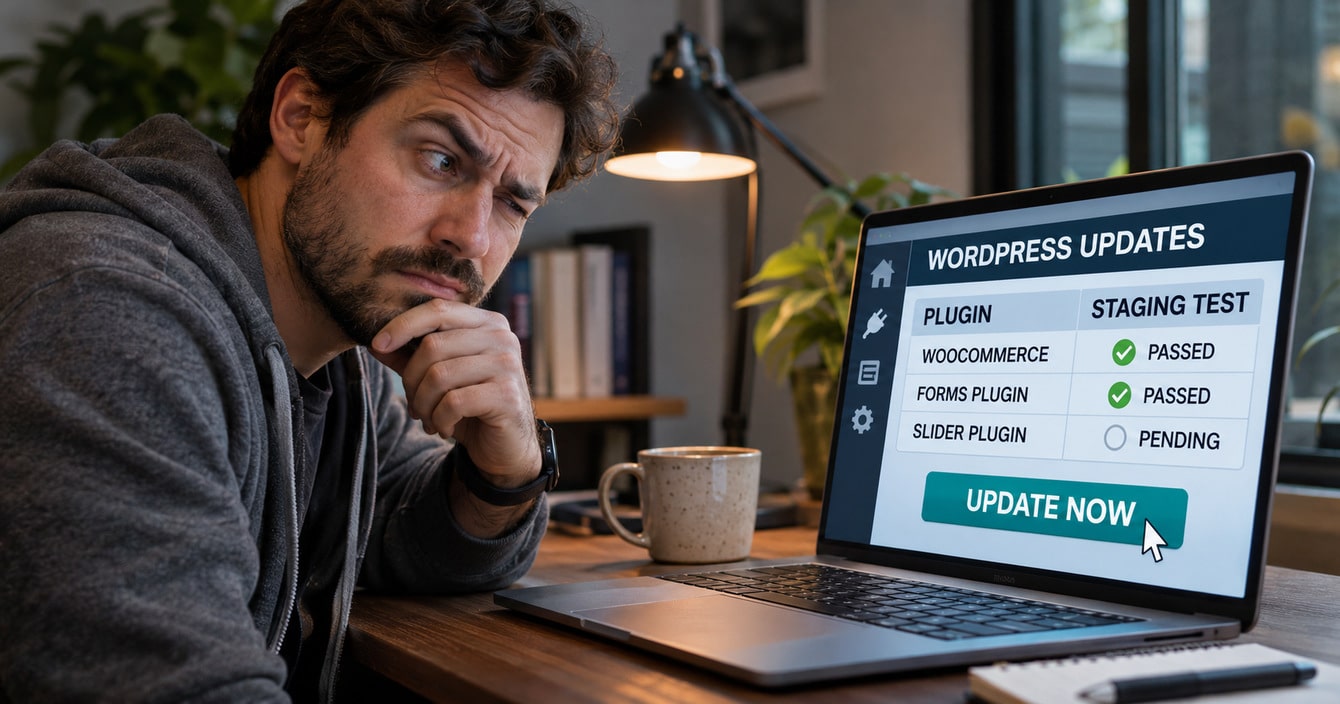
Virtina’s view: auto-update minor core releases and small, low-risk plugins. Test checkout-critical plugins on a staging site first, then apply them quickly. Your host may override these settings, so check with it.
A rushed update can also break payments. The WooCommerce bug guide mentions how a security plugin can block gateway traffic.
Which versions are current right now?
As of 6 November 2026, WordPress 7.1.4 and WooCommerce 11.2.2 are current. WordPress 7.1.4 shipped on 28 October with 12 vulnerability fixes and a certificate update. WooCommerce 11.2.2 shipped on 4 November as a security release.
WordPress 7.1 had four security releases in about six weeks. PHP 8.2 loses security support on 31 December 2026, per php.net on 6 November 2026.
What does two-factor login leave open?
Two-factor login leaves open every attack that never touches the login page. It stops stolen or guessed passwords from becoming account takeover.
What does a second factor stop, and what does it miss?
Credential stuffing means bots replay passwords leaked from other sites. A second factor stops that, and it protects admin and developer accounts from password reuse.
It does not stop a plugin flaw that skips login, or malware already planted. Patchstack names broken access control as the most exploited class.
Virtina’s view: app-based codes, known as TOTP, are stronger than codes sent by email.
Are passkeys available in WordPress yet?
As far as release notes show, core has no built-in 2FA or passkey login on 6 November 2026.
The Two Factor plugin, version 0.17.0, has 100,000+ active installs and is tested to WordPress 7.1.4. It offers app codes, email codes and backup codes. Passkeys come from a separate add-on with one maintainer and 2,000+ installs.
Neither ships in core. Virtina’s view: use app codes by default, and add passkeys for admins who have a device that supports them.
Do password rules still matter?
NIST SP 800-63B-4 is the reference standard, not a legal duty for a store. It advises against forced symbol rules and periodic forced password changes. It also says passwords alone are not phishing-resistant.
WordPress 6.8 moved password hashing to bcrypt, per make.wordpress.org on 17 February 2025. That makes stolen hashes harder to crack. It does nothing against phishing or a bad plugin.
What does a firewall leave open?
A firewall leaves open attacks it cannot recognise, and attacks that run in the shopper’s browser. A web application firewall (WAF) filters requests before they reach WordPress.
How well do firewalls do in tests?
In Patchstack’s tests, host-level defenses blocked 12% of WordPress-specific exploit attacks in one study. In another study they blocked 26% of total attacks. These are test results, not a universal rate.
Host firewalls did somewhat better than vendor suites in the second study. So keep the firewall, but ask what it blocks and who updates its rules.
Why can a skimmer slip past a firewall?
A skimmer is code that copies card details as a shopper types them. Sansec, a security firm, published a forensic report on 14 May 2026 about the FunnelKit checkout plugin.
Versions before 3.15.0.3 affected more than 40,000 WooCommerce stores, with a CVSS score of 8.7. An unauthenticated attacker could inject JavaScript on every checkout page through an External Scripts setting. The code was disguised as a Google Tag Manager loader.
A fix shipped within 36 hours. The injected code ran in the shopper’s browser, and a server-side filter does not see that. The last point is Virtina’s reasoning, not Sansec’s.
PCI’s payment-page script requirements became mandatory on 31 March 2025. Ask your assessor whether they apply to your setup.
Hosted payment fields, covered under payment gateway integration, keep card data off your server. That page says it usually means the simplest PCI self-assessment scope. They do not remove script risk on the page around the frame.
Which security layers cover which gaps?
No single layer covers every gap, so match each layer to its gap and name an owner for each. The table below does that for ten layers. It reflects Virtina’s view, built from Patchstack, Sansec, WordPress.org and WooCommerce documentation checked on 6 November 2026.

|
Security layer |
What it protects |
What it leaves open |
Who owns it |
|---|---|---|---|
|
Updates and PHP |
Known flaws once a patch exists. Patchstack reports a 5-hour median to first exploit for heavily exploited flaws. |
Flaws with no patch at disclosure (46%), and updates that are themselves the attack. |
Developer or maintenance partner |
|
Auto-updates |
The delay between a patch and its install. |
Bad or malicious releases, and breakage on a live checkout (Virtina’s view). |
Store owner decides, developer sets up |
|
2FA or passkeys |
Stolen or guessed passwords, and takeover of admin accounts. |
Plugin flaws that skip login, and malware already planted. App codes beat email codes (Virtina’s view). |
Store owner for policy, developer for setup |
|
Password manager and bcrypt |
Password reuse, and offline cracking of stolen hashes on WordPress 6.8 and later. |
Phishing, and a vulnerable plugin. |
Store owner |
|
Firewall (host, plugin or edge) |
Many known-pattern attacks, and virtual patches for known plugin bugs. |
Novel exploits, logic flaws, and attackers with valid admin credentials. Patchstack’s tests blocked 12% and 26% in two studies. |
Host or maintenance partner |
|
Malware and integrity scanning |
Detects changed or planted files after the fact. |
Prevention, and skimmers that load from remote scripts (Virtina’s view). |
Maintenance partner |
|
Backups with tested restores |
Recovery after ransomware, a bad update or a compromise. |
An attacker returning through the same hole, and data stolen before the restore. |
Host or maintenance partner |
|
Least-privilege roles and file permissions |
Damage from one compromised staff account, and dashboard file edits when DISALLOW_FILE_EDIT is set. |
Attackers who already hold an admin account or upload files through a plugin bug. |
Store owner and developer |
|
Payment-page script control and hosted payment fields |
Skimmers on checkout, and raw card data on your server. |
A script that is already authorised, and weak admin access. |
Developer |
|
Plugin vetting and removal |
A smaller attack surface, since 91% of 2025 vulnerabilities were in plugins. |
Trusted plugins that change hands. |
Store owner and developer |
A plain reading of what each layer covers and misses. It contains no test results.
Magento stores need the same map, with Magento-specific steps in Magento security tips.
Why is scanning not prevention?
Scanners find files that were changed or planted after the fact. That makes file integrity checks useful for detection, not prevention. WordPress.org advises using both application-level and remote scanners, because no single tool catches everything.
Some skimmers load from a remote script, so there may be no changed file on your server to find. That is Virtina’s reasoning.
Backups follow the same logic. A backup limits the damage after an attack, but it does not close the hole the attacker used.
Where does a longer tip checklist fit?
This article does not repeat the longer WooCommerce checklist. That step-by-step list lives in WooCommerce security tips. Use the table here to decide which of its tips matter most.
What is the minimum security routine for a WordPress store?
The minimum routine is fast security updates, monthly full updates on staging, tested restores, and quarterly access reviews.

How do backups and a tested restore fit in?
WordPress.org advises backing up both the database and files, keeping copies offsite, and keeping several recent versions. It suggests weekly backups for small sites and daily backups for busy ones.
Restore tests are part of Virtina’s maintenance practice, not WordPress.org’s advice. A backup you have never restored is a guess.
In the Essential Plugin case, the operator says daily offsite backups pinned the infection to a seven-hour window.
What does least privilege mean for a store?
Least privilege means every account and process gets only the access it needs. WordPress documentation covers two cases. The DISALLOW_FILE_EDIT setting stops file editing from the dashboard, and the database user needs only normal read-write rights.
A tighter database user can break schema updates, so test it on staging. Virtina’s view: give staff the lowest role that does the job, and limit admin accounts to named people.
Virtina’s suggested cadence, not a standard:
- Apply security updates within days, after a quick staging check.
- Run full plugin updates at least monthly.
- Run a restore test each quarter.
- Review users, roles and SFTP access each quarter.
- Scan weekly and watch for plugin ownership changes.
Site moves often leave access and backups loose, so post-migration security needs its own check. That is Virtina’s view.
What should you do in the first hour after a hack?
In the first hour, document what you see, scan, tell your host and processor, and sign every user out.
This is a short version of the steps in the WordPress.org hacked-site FAQ.
- Step 1. Note what you see and when, with the time zone.
- Step 2. Scan with application-level and remote scanners.
- Step 3. Check with your host about the shared server.
- Step 4. Force password resets and replace the secret keys to sign everyone out.
- Step 5. Back up the infected state for reference.
- Step 6. Remove the infection through SFTP, then update everything.
- Step 7. Work out how the attacker got in.
What is different for a store?
These additions are Virtina’s view and are not on the WordPress.org page. Check the checkout for scripts you did not add. If you use FunnelKit, review its External Scripts setting.
Contact your payment processor, and review your admin users. Ask counsel about notification duties, because the rules vary by state.
A clean store may still need checkout repairs after cleanup. The WooCommerce bug-fix service covers repair for broken WooCommerce stores.
What does Virtina do for WordPress store security?
Virtina’s WordPress maintenance covers updates, security checks and backups. The current package details say what each plan includes.
What does the maintenance service include?
The WordPress support and maintenance page lists regular updates of plugins, core and themes. Its FAQ puts updates at least once a month. It says security updates are treated with the highest priority.
The package table also lists security scans, malware scan and removal, and uptime monitoring. See the current package details for backup frequency and what a cleanup covers.
This article gives no backup frequency, price or response time, because those details belong on the current package page. The pages also describe continuous monitoring of the site and server, with alerts on downtime.
What does the broader maintenance page add?
Updates are tested on a staging site and released with a checklist, with a rollback plan ready. The ecommerce website maintenance page also lists patches on schedule, access reviews, and backups verified with restore tests. It frames this as security hygiene.
For WooCommerce, the page describes keeping WordPress and WooCommerce updated and trimming plugin bloat. The page also lists database, PHP and security tasks as scheduled work.
What if you inherit a store with unknown security?
When you inherit a store, you also inherit its history. Old admin users, forgotten plugins and untested backups all come with it.
A takeover starts with an inventory of plugins, users and backups, which is Virtina’s view. The ecommerce store takeover page covers taking over an existing store.
People also ask
How do hackers usually get into a WordPress store?
Plugin flaws are the biggest known weakness. Patchstack puts 91% of 2025 vulnerabilities in plugins, and broken access control is the most exploited class. Stolen passwords and hostile updates add two more routes.
Can two-factor login stop a store hack?
It stops attacks on the login only. A plugin flaw that skips login, or a poisoned update, goes around it. Keep it on, and treat it as one layer.
How fast do attackers exploit new plugin flaws?
Patchstack reports a weighted median of 5 hours to first exploit for heavily exploited flaws. About half of high-impact flaws are exploited within 24 hours. Plan security updates in days, not months.
Conclusion
Each layer closes one door and leaves a gap. Updates miss unpatched flaws and hostile updates. Two-factor login misses attacks that skip it.
A firewall misses what runs in the browser. Name an owner for each gap, and run the routine above. If you want help with your store, talk to us.
Frequently asked questions
How often should I update WordPress plugins?
Apply security releases as soon as possible after a quick staging check. Update everything else at least monthly. That is Virtina’s recommendation, based on Patchstack’s exploit timings and WordPress 7.1’s four security releases in about six weeks.
What should I do if my WordPress store is hacked?
Document what you see, scan, tell your host and payment processor, and sign every user out. Then restore from a clean backup and find the cause. The first-hour steps earlier in this article give the full order.
Do I need a firewall plugin if my host has one?
Usually yes, because layers overlap without being equal. Ask what the host firewall blocks and who updates its rules. In Patchstack’s second study, host firewalls did somewhat better than vendor suites.
Are free plugins less safe than paid ones?
Price is not a safety signal. Patchstack reports that premium components had three times more Known Exploited Vulnerabilities than free ones. It also says 76% of their vulnerabilities were exploitable.
Is WordPress itself secure enough for ecommerce?
Patchstack counted six core vulnerabilities in 2025, all low priority, against 11,334 in total. The risk sits in the plugin layer and in how you run the store. Core still ships frequent security releases, so keep it updated.
Should I switch on passkeys?
Passkeys come from a separate add-on with one maintainer and 2,000+ installs. In Virtina’s view, app codes are the safer default today, and passkeys suit admins on supported devices. Core has no built-in passkey login as of 6 November 2026.
Do automatic updates break my checkout?
They can. Try each update on a staging copy before it reaches the live store, and keep a rollback plan ready. Virtina’s maintenance page describes the same process.
What does a WordPress security-maintenance plan include?
Virtina’s maintenance pages list updates, security scans and updates, malware scan and removal, uptime monitoring and backups. Updates are tested on staging with a rollback plan. See the current package details for backup frequency, cleanup scope and what each plan includes.
Virtina is an eCommerce agency that also provides WordPress support and maintenance for online stores.