Summary
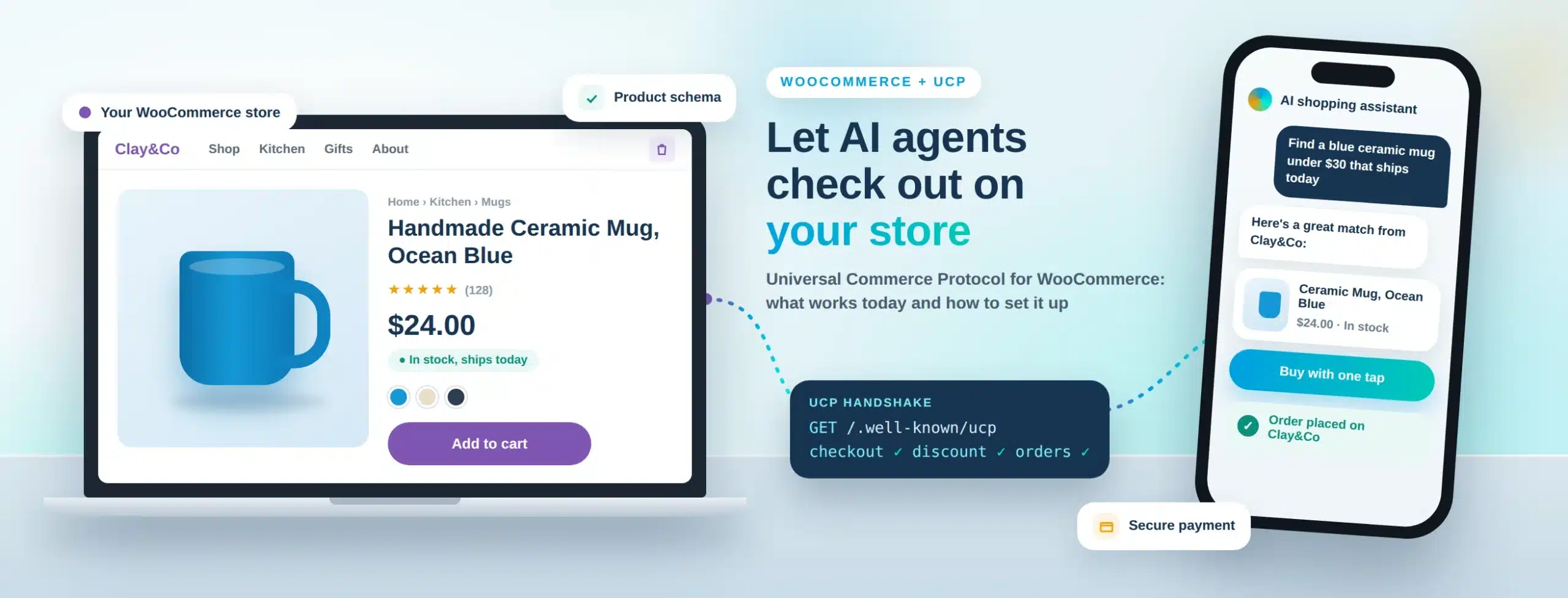
Google’s Universal Commerce Protocol (UCP) lets AI agents in Google AI Mode and Gemini check out on your store. Shopify stores got UCP support at launch. WooCommerce did not: as of August 2026 there is no built-in UCP support in WooCommerce core.
That does not mean WooCommerce stores are locked out. Your products can already reach Google’s AI surfaces through Merchant Center, and UCP checkout can be added with a third-party plugin or a custom build. This guide explains what works today, what still needs custom work, and how to set it up step by step.
Introduction
A shopper asks Gemini for a lightweight carry-on under $200. The agent compares a few options and offers to buy one without leaving the chat. For stores that support UCP, that checkout happens right there. For stores that don’t, the agent can only send the shopper to a product page, if it recommends the store at all.
For WooCommerce merchants, the question is practical: can you take part today, and what does it cost to get there? The short answer is yes, with some work. The rest of this post shows exactly which parts are ready and which parts you need to build.
Table of Contents
- What is the Universal Commerce Protocol?
- Does WooCommerce support UCP today?
- What works on WooCommerce today?
- How does UCP work behind the scenes?
- How do you set up UCP on WooCommerce?
- Should you use a plugin or a custom build?
- What are the common mistakes?
- How Virtina can help
- Frequently Asked Questions
What is the Universal Commerce Protocol?
The Universal Commerce Protocol is an open standard that lets AI agents discover what a store sells, run checkout and take payment in one standard flow. Google announced it on 11 January 2026, built with Shopify, Etsy, Wayfair, Target and Walmart and backed by more than 20 partners, including Adyen, American Express, Best Buy, Stripe and Visa.
UCP powers buying inside AI Mode in Google Search and the Gemini app. The store stays the merchant of record: you keep the customer relationship, your own prices and your own order system. The agent handles the conversation, and UCP carries the checkout between the agent and your store.
- Discovery: the store publishes a manifest at /.well-known/ucp that tells agents what it supports.
- Checkout: agents create and update checkout sessions through a standard interface.
- Payments: handled through the Agent Payments Protocol (AP2), with cryptographic proof that the shopper approved the purchase.
- Extensions: capabilities such as discounts, fulfillment and order management build on top of checkout.
Does WooCommerce support UCP today?
Not natively. As of August 2026, WooCommerce core has no built-in UCP support, and WooCommerce’s own agentic commerce page lists UCP as “coming soon.” Shopify, by contrast, was a UCP launch partner, so Shopify merchants got much of the plumbing out of the box.
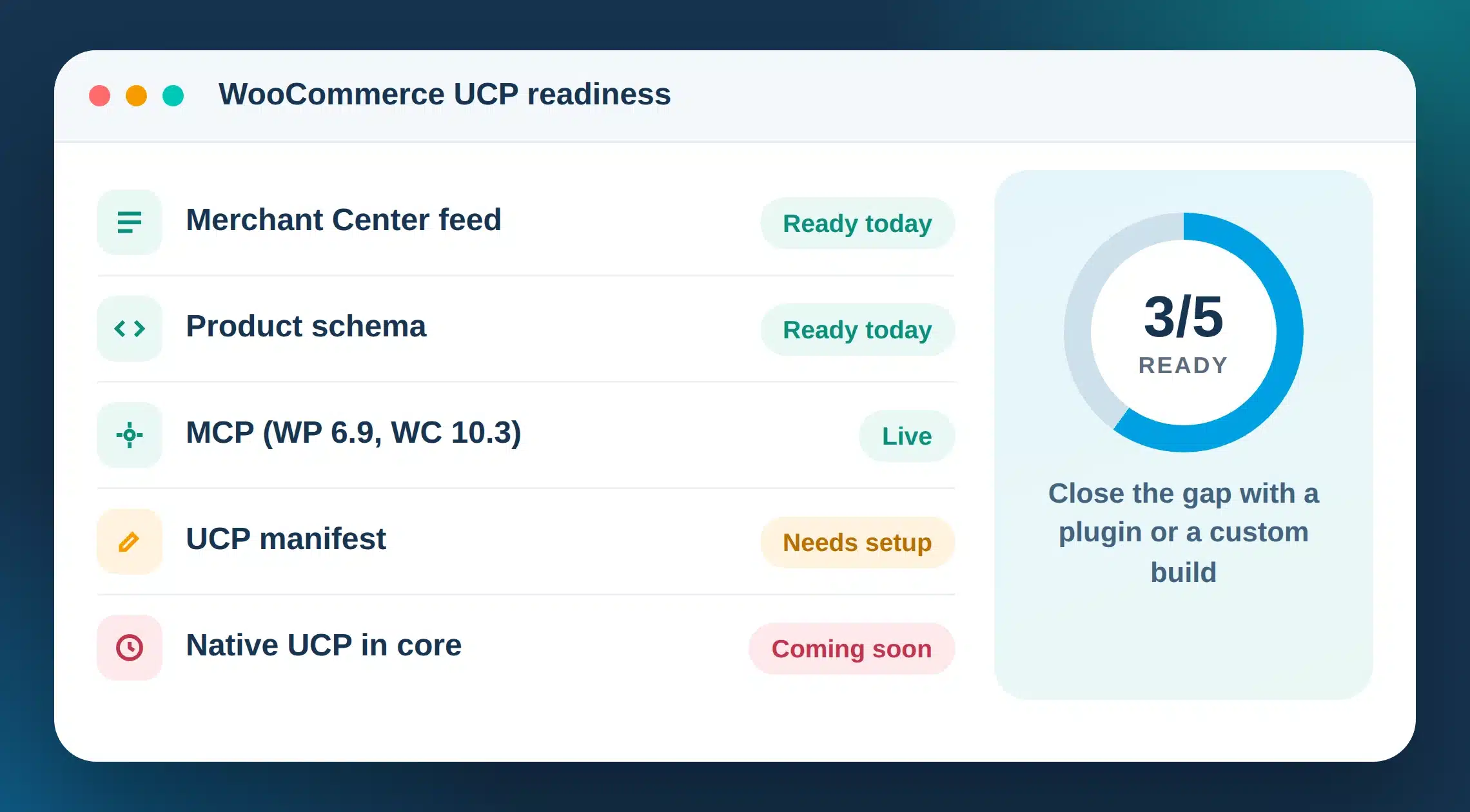
Here is where WooCommerce actually stands:
- MCP is live. WordPress 6.9 and WooCommerce 10.3 shipped Model Context Protocol support, so AI assistants can read store products, orders and settings through built-in abilities.
- Google discovery works. The Google for WooCommerce extension syncs your catalog to Google Merchant Center, which feeds Google’s shopping and AI surfaces.
- UCP checkout needs extra work. Third-party plugins exist, such as Universal Commerce Protocol (UCP) for WooCommerce by SiteUpgradePro and WebToffee’s UCP Enabler, but they are young and not officially endorsed. A custom build on the WooCommerce REST API is the other route.
The practical takeaway: WooCommerce stores can be visible to Google’s AI today, but letting agents complete a purchase takes a plugin you have tested carefully or a custom integration.
What works on WooCommerce today?
Here is a quick status check for each part of the UCP journey on a WooCommerce store, as of September 2026.
| Part of the journey | Status on WooCommerce | How to get it |
|---|---|---|
| Product discovery in Google AI Mode | Works today | Sync your catalog to Merchant Center with Google for WooCommerce |
| Structured product data | Works today | Product and Offer schema from your SEO plugin or theme, with GTINs |
| UCP manifest at /.well-known/ucp | Needs a plugin or custom work | Third-party plugin, or a custom endpoint |
| Checkout sessions for agents | Needs a plugin or custom work | Map UCP checkout calls to WooCommerce carts, shipping, tax and orders |
| AP2 payments | No documented WooCommerce extension yet | Confirm support with your payment provider before you build |
| Order updates and fulfillment | Custom work | Push order status and tracking back through UCP capabilities |
Status based on WooCommerce and Google documentation checked in September 2026.
If you only do one thing this month, fix the first two rows. Clean Merchant Center data and valid schema help you in AI Mode today, and every UCP route depends on them.
How does UCP work behind the scenes?
UCP has four moving parts. Understanding them makes the setup steps much easier to follow.

1. The discovery manifest
Your store publishes a JSON file at yourstore.com/.well-known/ucp. It declares the UCP version, the services you offer, the capabilities you support and the payment handlers you accept. A simplified example:
{
  "ucp": {
    "version": "2026-01-11",
    "services": { ... },
    "capabilities": [
      { "name": "checkout", ... },
      { "name": "discount", ... }
    ]
  },
  "payment": {
    "handlers": [ ... ]
  }
}
Always build against the official schema in the UCP GitHub repository rather than a copied example, because field names and versions change.
2. Capabilities
Checkout is the core capability. Discounts, fulfillment and order management extend it. You only declare what you actually support.
3. Transports
Agents can talk to your store over REST, the Model Context Protocol (MCP) or Agent2Agent (A2A). Most WooCommerce builds start with REST, since the WooCommerce REST API is already there.
4. Payments
Payments run through the Agent Payments Protocol (AP2), which separates the payment instrument the shopper uses from the payment handler that processes it. Google also offers a native checkout option powered by Google Pay, or an embedded option where you keep your own checkout experience.
How do you set up UCP on WooCommerce?
These are the steps we follow when we get a WooCommerce store ready for UCP. Steps 1 and 2 pay off even before UCP checkout goes live.

- 1. Clean up your product data. Use brand, model and key specs in titles, fill in GTINs and MPNs, and make sure price and stock appear in the page HTML, not only after JavaScript runs.
- 2. Connect Google Merchant Center. Install Google for WooCommerce, sync your catalog, and fix every disapproval and warning. Merchant Center is the entry ticket for Google’s UCP program.
- 3. Validate your structured data. Run key product pages through Google’s Rich Results Test and fix missing Offer, availability and GTIN fields.
- 4. Apply for Google’s UCP program. Google asks merchants to have an active Merchant Center account with eligible products and to submit its merchant interest form. Decide early whether you want Google’s native checkout or the embedded option.
- 5. Choose your route. Test a third-party UCP plugin on a staging copy of your store, or plan a custom build on the WooCommerce REST API. The next section compares both.
- 6. Publish the /.well-known/ucp manifest. Serve it over HTTPS and declare only the capabilities and payment handlers you actually support.
- 7. Build or configure checkout. Map UCP checkout sessions to WooCommerce carts, including shipping methods, taxes, coupons and stock checks, and create real WooCommerce orders at the end.
- 8. Confirm payments. Check with your payment provider how it supports AP2 or Google Pay for agent checkout. Do not assume your current gateway plugin handles it.
- 9. Test on staging, then pilot. Validate every response against the official UCP schema, run test orders end to end, then go live with a small set of products.
- 10. Track agent orders. Agent checkouts never load your storefront, so browser pixels will not fire. Record these orders server-side so they show up in GA4 and your ad platforms.
Want help with any of these steps? Our agentic commerce services cover product data cleanup, Merchant Center feeds, UCP setup and ChatGPT shopping readiness for WooCommerce stores.
Should you use a plugin or a custom build?
Both routes can work. The right one depends on your catalog, checkout rules and how much risk you can accept.
| Factor | Third-party plugin | Custom build |
|---|---|---|
| Time to launch | Days to weeks | Several weeks |
| Upfront cost | Low | Higher |
| Fit with complex rules (B2B pricing, custom shipping, subscriptions) | Limited | Built around your rules |
| Keeping up with UCP spec changes | Depends on the plugin author | Under your control |
| Risk | Young plugins with small install bases | Needs experienced developers |
| Best for | Simple catalogs that want to test UCP early | Stores with complex checkout, high order volume or B2B needs |
Our advice: if you use a plugin, test it on staging against the official UCP schema before it touches live orders. If your checkout has custom rules, a custom build usually costs less over time than patching a plugin.
What are the common mistakes?
- Poor product data. Agents need facts: specs, materials, compatibility, GTINs. Marketing copy alone gets you skipped.
- Copying unofficial schemas. Some guides invent field names. Build against the official UCP specification only.
- Declaring capabilities you do not support. If your manifest promises discounts or fulfillment updates you cannot deliver, agents will fail mid-checkout.
- Slow responses. Agents expect fast API responses. Cache product data and keep checkout calls lean, especially on shared hosting.
- Forgetting analytics. Agent orders skip your storefront, so they vanish from browser-based tracking unless you log them server-side.
- Skipping staging. Test every flow, including out-of-stock items, coupons and shipping edge cases, before going live.
How Virtina can help
Virtina has built and supported WooCommerce stores for more than 14 years. We help WooCommerce merchants get ready for AI shopping agents from end to end: product data and schema cleanup, Google Merchant Center feeds, UCP setup and ChatGPT shopping readiness.
Start with a free readiness check and we will show you what AI agents see on your store today and what to fix first. See our agentic commerce services, or read our guide on making your store readable to AI shopping agents.
People also ask
Is UCP only for Shopify stores?
No. UCP is an open standard. Shopify was a launch partner, so its merchants got support first, but any store, including WooCommerce, can implement it.
Do I need Google Merchant Center for UCP?
For Google’s implementation, yes. Google requires an active Merchant Center account with products eligible for checkout.
Is UCP the same as ChatGPT’s Agentic Commerce Protocol?
No. The Agentic Commerce Protocol (ACP) was built by OpenAI and Stripe. UCP was launched by Google. They solve a similar problem, and the product data work you do helps with both.
Conclusion
WooCommerce does not support UCP out of the box yet, but WooCommerce stores are not shut out. Clean product data, a healthy Merchant Center feed and valid schema get you into Google’s AI surfaces today. A tested plugin or a custom build adds UCP checkout on top.
Stores that do this work now will be ready when AI checkout becomes routine, instead of scrambling to catch up.
Frequently Asked Questions
Does WooCommerce support the Universal Commerce Protocol?
Not natively. As of August 2026, WooCommerce core has no built-in UCP support and lists it as coming soon. You can add UCP with a third-party plugin or a custom integration built on the WooCommerce REST API.
What is the /.well-known/ucp file?
It is a JSON manifest your store publishes so AI agents can discover which UCP version, capabilities and payment handlers you support. It must be served over HTTPS and follow the official UCP schema.
Can WooCommerce products show up in Google AI Mode without UCP?
Yes. Syncing your catalog to Google Merchant Center with Google for WooCommerce, plus valid product schema, helps your products appear in Google’s shopping and AI surfaces. UCP adds the ability for agents to complete checkout.
How long does it take to add UCP to a WooCommerce store?
A simple store testing a plugin can be ready in days to a few weeks after its product data and Merchant Center feed are clean. A custom build for complex catalogs usually takes several weeks.
Is a UCP plugin for WooCommerce safe to use?
The plugins available today are young and have small install bases. Test any plugin on a staging site, validate its output against the official UCP schema and confirm payments with your provider before using it on live orders.
Virtina is a WooCommerce expert agency that also builds on Shopify, BigCommerce and Magento, which is why this guide covers the honest trade-offs instead of pushing one route.