Summary
Taking a moment to review and design improvements on your website can often significantly impact customer engagement and sales.
This blog provides an efficient roadmap for creating a more intuitive, visually attractive, and seamless user experience.
Think of each tip as an opportunity to better serve your audience and make their journey on your site enjoyable and productive.
So, why wait?
Implement these strategies today and watch your website become more engaging, user-friendly, and effective at driving sales.
Website design defines the look and feel of the website and its functionality, directly linked to customer trust, conversion rates, and overall brand perception.
A well-designed website is not just a digital storefront; it's a powerful appeal that can attract customers, keep them engaged for longer, and ultimately lead them to purchase.
In fact, 75% of website visitors form their opinion about a company's credibility solely based on its website design. This underscores the critical role of excellent website design in eCommerce success.
The following blog discusses hands-on advice for designing an eCommerce store, such as enhancing navigability and ensuring a seamless checkout process to engage and convert shoppers.
Table of Contents
Prioritize User-Friendly Navigation
When building an eCommerce site, providing easy and intuitive navigation is one of the most important things.
Customers visiting your site want to find products quickly without guessing what they should click next.
Ensuring users have friendly navigation means laying it out naturally to help customers enjoy their shopping experience.
Here are a few key elements in creating user-friendly navigation:
Best Practices for User-Friendly Navigation
A good website aims to make the navigation as friendly and smooth as possible, enabling users to reach desired destinations with minimal fuss.
Here are some best practices to create a responsive website:
Examples of Top Website Designs
The most successful brands are known for their efficient, user-oriented navigation.
Think about how Amazon or Walmart organizes its categories in a way that makes locating easy and places products a couple of clicks away.
Their design lets shoppers search, browse, and ultimately buy items efficiently by creating a seamless and pleasant experience.
This type of navigation helps ensure customers can find your products in record time, keeping them hooked and reducing the probability of leaving for another competitor's site.
Optimize for Mobile Responsiveness

With more than half of all eCommerce traffic coming from mobile devices, mobile responsiveness has never been more important.
In a time when everyone needs things to go fast, be easy, and look great on mobile, not having a mobile-friendly website will automatically result in losing a considerable part of your potential sales.
Ensuring your eCommerce site is fully responsive- designed to adapt smoothly to any screen size—is essential for engagement and conversions.
Here’s how to do mobile optimization:
Enhance Visual Appeal with High-Quality Images and Videos

A great visual experience is the key to success in online shopping. With professional photos and videos, you can make your products stand out and offer a more engaging, immersive shopping experience.
Here's how:
Leverage Persuasive Design Tactics

Use effective persuasive design tactics and create an online experience that sets your customers to take action, such as buying, subscribing, or engaging with your brand.
Persuasive design tactics may subtly nudge customers toward desired behaviors, tapping into some key psychological triggers.
There are three of them: Social Proof, Scarcity and Urgency, and Trust Signals.
Social Proof
People generally tend to believe in products and services when recommended by others.
If you include customer reviews, testimonials, or user-generated content on your site, you provide potential customers with evidence that others enjoy and believe in your brand.
This trust-building action can make the new customer comfortable choosing your product over those competitors. Reviews, ratings, or photographs from real users also promote authenticity and help your audience visualize how your product could work for them.
Scarcity and Urgency
Scarcity and urgency are yet another powerful motivators of customer action.
These design elements communicate to the users that time is running out, and they will miss the opportunity if they do not act on the spur of the moment.
For example, marking limited-time offers or messages about low-stock items creates urgency in customers to make quick decisions.
Even a simple phrase like "Only a few left!" creates urgency. " or "Sale ends soon! " can push that final nudge toward hitting the 'Buy Now' button.
Trust Signals
Consumers want to know they are making safe, trustworthy purchases. Trust signals assure customers that your website is secure and reliable.
Examples of these elements include trust badges, easy links to return and refund policies, and transparent shipping details.
Displaying these elements during checkout or on product pages helps consumers feel more confident about purchasing and decreases their hesitation.
You need to show that you are a trustworthy business, and as much as you can, it will be easier for customers to feel secure moving forward with their purchases.
Implement Fast and Seamless Checkout
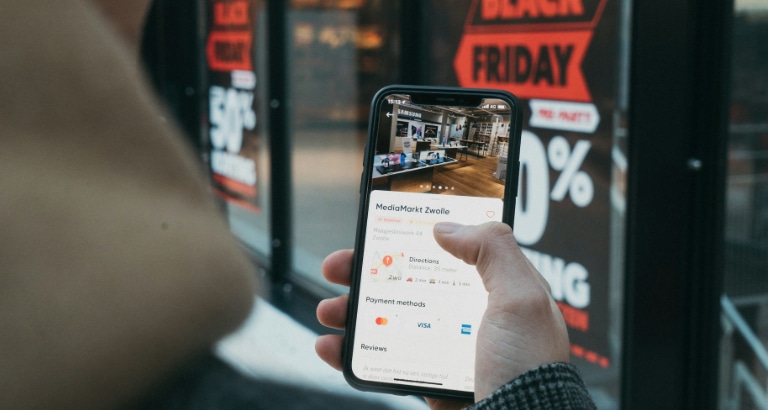
To make checkout as smooth as possible while remaining comfortable with the experience, improve checkout ease to raise your conversion rates. Here's how you can do it:
Streamline the Checkout Process
Make the checkout process as easy as possible so that you can complete the buying action. For example, streamline form fields to just essential information and include a guest checkout option.
Another thing you could implement here is guest checkout, allowing users to finish their purchase without creating an account beforehand. This comes in handy for the new or not frequent users who only want to make a transaction quickly.
Highlight Clear Calls-to-Action (CTAs)
Use strong, clear calls to action, like "Proceed to Checkout" or "Complete Your Order." Make sure such buttons are easy to find and have high contrast.
There are several ways to achieve this, including using contrasting colors or bold fonts that intuitively send the customer's eyes down the page and make it easy for them to click ahead and proceed.
Integrate Mini-Cart Features
Customers should receive a mini-cart summary that allows them to view all the items chosen, their total, and any discount applied to them without leaving the current page.
This quick view allows users to glance through cart contents, which means less disruption in the user experience and fewer chances of cart abandonment.
Optimize Site Speed for Better User Experience (UX) and Search Engine Optimization (SEO)

Website speed optimization is important for improving user experience and enhancing the site's ranking with search engines.
A faster website has a much higher chance of attracting visitors, allowing them to scroll and eventually take the wanted action.
Slow pages, however, frustrate the users and can even raise the chances of high bounce rates, where users leave your site almost as soon as they land on the page.
Moreover, Google also likes a fast site for ranking, so you'll most likely gain more visibility in the search results.
Here are some tips to improve your site's speed -
Social Proof
People generally tend to believe in products and services when recommended by others.
If you include customer reviews, testimonials, or user-generated content on your site, you provide potential customers with evidence that others enjoy and believe in your brand.
This trust-building action can make the new customer comfortable choosing your product over those competitors. Reviews, ratings, or photographs from real users also promote authenticity and help your audience visualize how your product could work for them.
Scarcity and Urgency
Scarcity and urgency are yet another powerful motivators of customer action.
These design elements communicate to the users that time is running out, and they will miss the opportunity if they do not act on the spur of the moment.
For example, marking limited-time offers or messages about low-stock items creates urgency in customers to make quick decisions.
Even a simple phrase like "Only a few left!" creates urgency. " or "Sale ends soon! " can push that final nudge toward hitting the 'Buy Now' button.
Trust Signals
Consumers want to know they are making safe, trustworthy purchases. Trust signals assure customers that your website is secure and reliable.
Examples of these elements include trust badges, easy links to return and refund policies, and transparent shipping details.
Displaying these elements during checkout or on product pages helps consumers feel more confident about purchasing and decreases their hesitation.
You need to show that you are a trustworthy business, and as much as you can, it will be easier for customers to feel secure moving forward with their purchases.
Incorporate Brand-Consistent Typography and Colors

When designing a brand's visual identity, consistency in typography and color should also be maintained.
While both elements might seem small, they are essential in helping drive your brand's overall look and feel, thus creating a memorable experience for your audience.
Typography
Typography is more than the art of picking any pretty font; it is more about selecting a typeface that is true to your brand's personality and readable across all channels.
For instance, a technology brand could use modern and smooth fonts representing innovation and accuracy, while a wellness brand could opt for soft, rounded, serene, and approachable fonts.
You must ensure consistent typography in all your media interfaces so that your customers can easily distinguish your brand's style, whether reading a social media post, a blog article, or product packaging.
Color Psychology
Colors influence perception, mainly subconsciously, and are associated with how your customers perceive your brand.
Thus, it becomes necessary to understand color psychology and determine the ideal palette of colors that will depict your brand's values and evoke an emotional attachment in your target audience.
For instance, blue is associated with trustworthiness and reliability, so it is mainly used by finance- and technology-oriented businesses. Red, by its turn, is a dynamic and urgent color, which explains why it's used so widely for food and retail purposes.
Examples of how Leading Brands Create Impact
Look at successful brands and notice how they use typography and color to their advantage.
For example, Coca-Cola uses red for energy or excitement, whereas Apple uses minimalist, clean typography to reinforce its sleek, sophisticated brand image.
Each element is carefully chosen and applied consistently to create a cohesive experience that helps these brands stand out in consumers' minds. This is like the approach where your brand becomes even more recognizable and memorable.
Simplify the Product Page Design

The key to product page design is simplicity and clarity.
Properly structured and easy-to-navigate product pages can make all the difference in shopping and nudge users toward that confident purchase decision.
Focus on the Essentials
Each product page must contain clear, concise information answering a customer's basic questions.
Start with high-quality images from an image generator, showcasing different angles depicting every product feature, which builds your consumer's trust.
It should also contain critical information such as price, size or specifications, color options, and real-time availability. By covering these basics, you're already giving customers what they need to consider buying.
Enhance with Useful Features
Apart from the essential functionalities, interactive features such as zoom-in functionality for images to let users read finer details and quick view so users do not have to leave the page to view the items are good features.
You can also add another helpful section consisting of recommended or similar products, which guides the customer to purchase something they may have wanted or find related items they may not have seen. These are subtle additions but impact the overall user experience.