Summary
Black Friday and Cyber Monday aren’t just another sale weekend; they’re the most significant retail events of the year. For eCommerce businesses, it’s the moment to shine (and sell). But while you may have your discounts planned, your website could be the missing piece between a good sales weekend and a record-breaking one.
This guide walks you through how to make your website truly “Black Friday ready.”
Black Friday is almost here! If you have a store online, this is the day everyone’s been waiting for. People are already looking at prices, saving stuff they like, and thinking about which deals to grab first. Tons of stores are trying to get noticed, so just putting up a sale or a big banner isn’t enough.
Your website has to be ready too. Make sure it loads fast, and is easy to use. Fix the major issues (slow loading images, broken links, checkout errors) that kill site performance now, and it’ll save you a lot of trouble later.
We will go over some easy ways to get your site ready for Black Friday.
Table of Contents
Why Black Friday Is Important for eCommerce?
Lots of stores make the most money around this time. People are looking for good deals, bundles, and stuff they just can’t say no to. Even if things cost a bit more or money is tight, everyone wants the most for their cash. Your job is to make it super easy for them to shop.
Getting ready all by yourself can be tough. That’s where platform ImpelHub can help; they find problems on your site.How Can You Prepare Your Website for Black Friday?

Black Friday can really test your website. If it slows down or crashes, you lose sales in seconds. That’s why it helps to check things early. Go through your site like a customer would click around, add stuff to the cart, and see if everything loads right. If anything feels slow, fix it now. Update your plugins, clean up extra junk, and make sure checkout works fine on your phone too. Also, don’t skip the safety part that is keep your SSL active, turn on two-step login, and back up your site before the rush starts.
Is Your Website Ready for Black Friday?
Black Friday is a super busy shopping day. Lots of people go online at the same time to buy things. If your website is slow or breaks, people will leave and buy somewhere else. That’s why you should check your website before the big day.
⇨ Pretend You’re a Shopper
Just open your website and try using it like anyone else would. Click around a bit, add something to the cart, and try buying it. You’ll see fast if anything’s slow or broken. Don’t wait till the sale to find that out, fix it early.
⇨ Make It Faster
Slow pages are the worst when people are trying to grab a deal. Try to clean up old stuff and make pictures smaller so things load quicker. It’s kind of like cleaning your desk, when there’s less junk, everything just works better.
⇨ Check on Your Phone
Most people will be shopping from their phones, not computers. Open your site and see how it looks on a small screen. Buttons should be big enough to tap easily, and pictures should fit right. If it’s annoying to use, folks will just leave.
⇨ Keep It Safe
Turn on that little lock (SSL) so people know your site’s safe. Add two-step login so no one else can get into your admin side. And before things get busy, save a backup, better safe than sorry.
⇨ Watch It During the Sale
When Black Friday hits, keep checking your website. If it slows down or crashes, fix it right away. Every minute counts when people are shopping.
⇨ Look Back After It’s Done
Once the sale’s over, take a look at what worked and what didn’t. Which stuff sold fastest? Where did people stop buying? Knowing that helps you do even better next time.
Doing a bit of fixing before and after Black Friday saves you a lot of stress. And if you ever feel stuck, it’s always smart to get a little expert help. You can check out Virtina’s website maintenance services to keep your site running smooth through the rush.
People Also Ask
⇨ When should I start getting ready for Black Friday?
Honestly? The sooner, the better. Try to start six to eight weeks ahead. That way, you have time to get your content ready, make sure your website works, and fix anything that’s off.
⇨ What kind of content works best?
Keep it simple. Show your deals, make guides to help people pick stuff, send emails with offers, and maybe make a short video showing what’s on sale. Things like that usually get people to click and buy.
⇨ How do I compete with big stores like Amazon?
You don’t need to beat them at their game. Just focus on what makes your store special. Personal deals, telling your brand’s story, and giving real attention to your customers go a long way. People notice that.
⇨ Can small businesses do well on Black Friday?
Yes! Small stores can totally do well. Incredible bundles, fast support, and a personal touch really stand out. Shoppers remember that kind of experience and come back.
How Can Design and User Experience Improve Black Friday Sales?

Good design isn’t just about making your site look pretty. It’s about helping shoppers make actual purchases. Every part of your Black Friday landing page should do one thing: make it super easy for people to get to the checkout.
⇨ Banners That Grab Attention
Look at what Amazon does. They use big banners, countdown timers, and little “shop early” messages to get people excited and create a sense of urgency. You don’t need to copy them exactly, but the idea is the same: make your deals impossible to miss.
⇨ Use Widgets to Simplify Navigation
Widgets, such as mini deal pop-ups or sidebar links, help visitors quickly access key offers. For instance, a widget can link from your homepage to “Black Friday Deals on Shoes,” making navigation effortless. Virtina helps you integrate customizable widgets and campaign management tools, allowing you to guide customers to the right place at the right time.
Should You Announce Your Black Friday Sale Early?
Absolutely. Shoppers love to plan, and so do search engines. Launching and indexing your landing pages early gives them time to rank before the big weekend. So don’t wait until November 28. Publish early, build curiosity, and promote your sale through email, SMS, and social media.
How Can Link Building Boost Your Black Friday Visibility?
When leading websites talk about your site, that is going to change the game, right?
⇨ Create Buying Guides
Think of buying guides as mini gift catalogs. For instance, “Top 10 Black Friday Beauty Deals” or “Ultimate Gadget Wishlist.”
These guides work great because they:
⇨ Get Featured in Directories
If you sell niche or expensive products, using directories helps people notice your brand. They’re a good way to get your name out there before and during the holiday shopping season.
How Does Urgency Increase Black Friday Conversions?
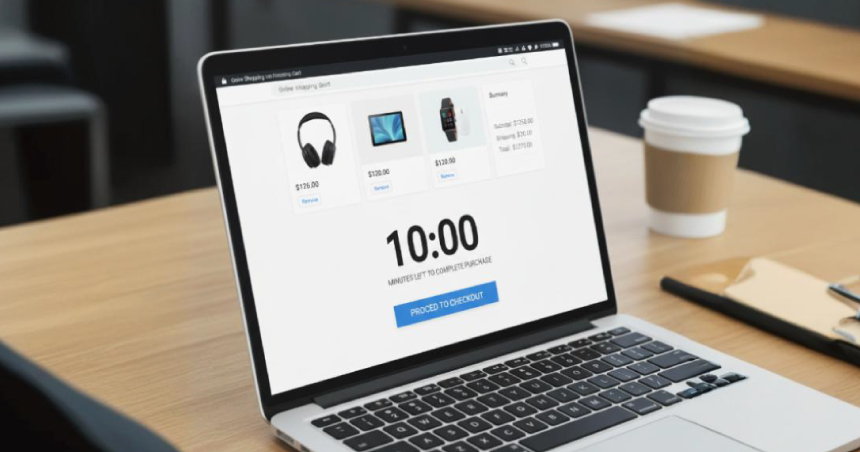
Nobody likes missing a deal, you know? That’s why it’s good to make people hurry a little. They don’t want to miss it, just like shoppers rushing for limited-time deals..
Here’s a simple trick:
Tools like Google Ads countdown widgets or those in Virtina’s campaign tools can update your deals automatically in real-time. That way, your website and ads always show the right message without you having to do it manually.
Making urgency isn’t just about quick sales; it also helps people come back next time, knowing your deals don’t stick around forever.
What Should You Do After Black Friday Ends?
The rush may be over, but your opportunity isn’t. Many ecommerce owners delete their Black Friday landing pages once the event ends, but that’s a mistake.
Instead of removing them, repurpose those pages for:
Keeping your pages live helps preserve your backlinks and SEO ranking. You can simply update the messaging to “Missed Black Friday? Check out our Winter Deals.”
Final Thoughts
Black Friday and Cyber Monday are super busy days online. Everyone’s trying to buy stuff fast before it’s gone. If your website is slow, people will just leave. You gotta make sure your site opens quick and works fine.
The earlier you get ready, the less stressful Black Friday will be.
Frequently Asked Questions (FAQs)
Just use words that match your content. Ensure that pictures load quickly and the site works smoothly on mobile devices. Place buttons where people can easily see and click them. Don’t make it messy or crowded.
Yeah, a few are okay. Pop-ups can show deals or get emails, but don’t use too many. People get annoyed if they keep popping up.
Look at how many people bought stuff, how fast the pages loaded, and how much they spent. Don’t stress about tiny things, just the main stuff is enough.
Send a thank-you email, give some points or little rewards, or let them see deals first next time. Remind them about your store sometimes, that helps.