Summary
Quality UX/UI design investment is an investment in long-term success. Your priority needs to be creating impressive designs that are appealing and function right on target to fulfill user expectations.
Thereby, you will manage to increase engagement, improve conversion rates, and acquire more loyal customers.
Refer to our comprehensive guide and take the first step today towards harnessing the power of outstanding UX/UI design and positioning your business for long-term success online.
Smart UX (user experience) and UI (user interface) designs are the cornerstones of any profitable online business in the dynamic eCommerce industry.
UX/UI components are not limited to designing and structuring your website; they also define how a customer engages with your brand, affecting his purchase behavior.
A seamless UX/UI can significantly engage more users and drive conversions, making a shopping experience enjoyable and effortless.
A survey shows that 88% of people are less likely to return to a website after having a bad experience, which underlines that great design brings long-term loyalty and customer retention.
Whether through smooth navigation, personalized interactions, or a responsive design, prioritizing UX/UI can take your eCommerce business to the next level.
Let’s understand how.
Table of Contents
Difference between UX and UI

A good design is a balance of appealing UX and a flawless UI.
UX involves creating a hassle-free user journey by crafting experiences that connect with the users, such as functionality and usability.
UI focuses on visual elements that users directly engage with, such as buttons, icons, and menus.
Understand it with this example.
Suppose an eCommerce website is visually appealing and has a clear product description (UI); it might attract you. But you'll likely leave the website if it has a cumbersome checkout process or slow-loading pages (UX).
However, if a website has a simple checkout procedure and effective navigation but a dated or unattractive style and layout, you will likely become bored before placing the order.
Here are the key features of UI and UX, highlighting the differences between the two.
User Interface | User Experience |
|---|---|
Involves aesthetic colors, typography, and images that align with your brand identity. | Involves collecting user information via surveys and interviews to understand user behavior and needs. |
Improving usability by providing a consistent interface across all pages and applications. | Identifying the problems and potential areas for improvement by doing usability testing on actual users. |
Ensuring a seamless user experience by building a website adaptable to various screen sizes and devices. | Creating simple outlines and interactive models by organizing and structuring content effectively. |
Creating an effective and user-friendly navigation. | Designing a user-friendly interface with logical flow and responsive navigation. |
Key UX/UI Elements in Website Development
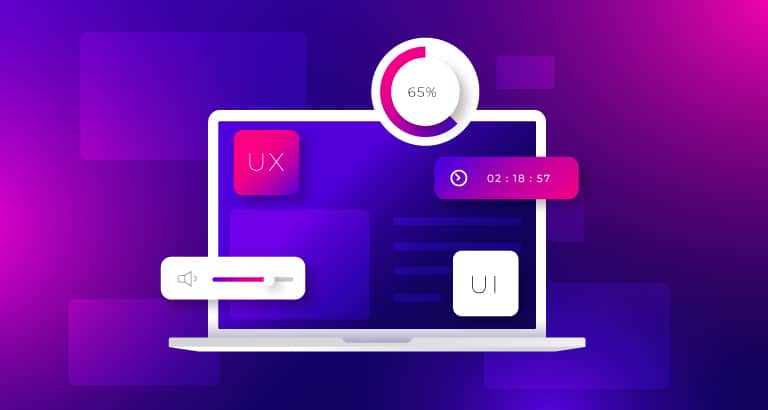
One of the most feasible ways to provide an excellent user experience is to implement compelling UX/UI elements in a website.
Here are some crucial design components to consider during web development.
⇨ User-Centered Design
User-centric design helps understand your target audience's behavior and preferences through extensive user research methods like surveys and interviews. This allows businesses to gain insights into what customers expect and how they interact with similar websites.
Besides creating a user-centered design, developing thorough personas and customer journey mapping makes it easier to fulfill user expectations and address pain areas.
With a user-centric design, you can help users find and purchase products easily, making them stay on your website longer and even recommend it to others.
⇨ Intuitive Navigation
Because intuitive navigation creates an uncluttered path, people can easily and quickly locate what they're looking for with a clear menu, logical categorization, and a visible search bar.
The whole idea is to make the website user-friendly by reducing the number of clicks toward key pages, naming the labels properly, and positioning them consistently across the site.
This makes your website navigable for users, encouraging them to engage, stay longer, and convert to loyal customers.
⇨ Visual Hierarchy and Typography
The visual hierarchy refers to organizing design elements to establish and build their importance for users' natural guidance through your content.
Think of it as strategically leading your visitors' eyes to where you want them to go, ensuring the key information stands out. You achieve this by using size, color, contrast, and spacing to create a clear order of importance among elements.
Your content becomes more readable and engaging with the right font, size, and spacing choices.
Larger and bolder fonts for headings may signal to a user that this is important, for example, while smaller and simpler fonts for the body text help the user quickly scan and grasp the structure of the content.
Applied together, visual hierarchy and typography can greatly improve readability, enhancing the overall user experience by making your website's content easy to follow and digest.⇨ Consistency and Feedback
Consistency gives users a consistent feel throughout their time on your website, which implies that the colors, fonts, button styles, and interactions should all be consistent.
Consistent design builds confidence in users because they get used to the interface and what it will be like when interacting with something.
Feedback is another crucial ingredient that enhances the user experience. Instant feedback, such as highlighting a selected option, a spinner indicating an operation in process, or confirming an action, helps ensure the users that the inputs taken from them have been addressed.
Feedback can further guide users in correcting errors, such as form submission errors.
Consistency and feedback ensure a smooth, predictable, and user-friendly experience that keeps users interested and satisfied.
Enhancing Conversion Rates through UX/UI

A good UX/UI enables higher conversion rates, encouraging users to fill out forms and place orders, resulting in increased sales.
1. Effective Call-To-Action
CTAs encourage visitors to complete tasks like purchasing, signing up for a subscription, or downloading a resource.
Without effective CTAs, even the most aesthetic websites cannot convert visitors into customers or leads.
So here are some tips regarding CTAs and their placement on your website:
2. Streamlined Checkout Process
It is essential to have an easy checkout process since this is where potential customers turn into paying ones.
A complicated checkout process, including extra steps, confusing forms, or slow page loading, often leads to lost sales.
A streamlined checkout boosts your conversion rate by making customers happy for repeat business.
Here are some tips on implementing an effective checkout process:
3. Personalization
Creating a purchasing experience that genuinely resonates with each individual requires personalization.
In the rapidly evolving realm of online shopping, clients today demand that websites record their preferences and make personalized content, offers, and product recommendations.
In addition to making users happier, personalization increases engagement, boosts conversion rates, and fosters enduring client loyalty.
Here are some tips to offer personalization to your customer:
Steps to Implement Effective UX/UI Designs to Your Website
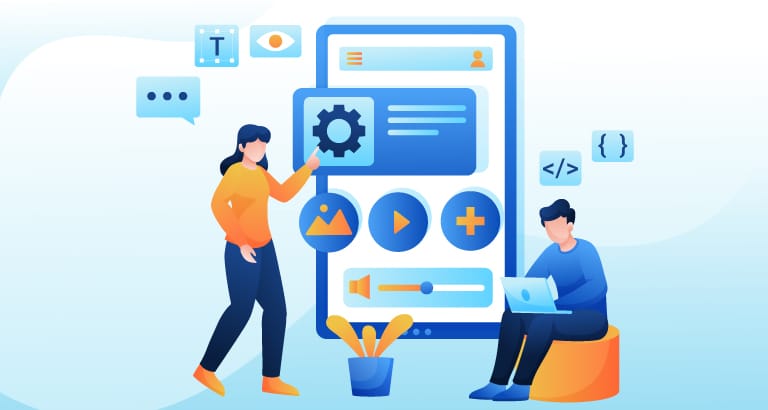
Developing a successful website involves several stages that result in a refined and user-friendly interface, as discussed below.
1. Research and Planning
Creating a website that meets the expectations of your target audience and provides actual value requires a thorough understanding of their needs, interests, and behaviors.
In-depth user research can help you identify users' needs, grasp their aspirations, and determine what content or features they want.
This helps ensure that your website effectively satisfies user needs and improves their experience by making meaningful and well-informed design decisions.
Here’s a revised version in a conversational yet formal tone:
2. Wireframing and Prototyping
Wireframing and prototyping bring your design ideas to life and clearly show how everything would work before the development.
The wireframes are like drafts of your website's structure, mapping the basic layout and functionality. In contrast, a prototype describes an interactive, detailed project model resembling the final result.
These tools allow you to fine-tune your design, testing and refining it based on user feedback and usability testing.
This way, you will know at each stage that your design is functional and user-friendly before committing to its development.
3. Collaboration with Developers
A close collaboration between the designer and developer means your design ideas come true in an operable and visually pleasing site.
When the designer and developer communicate well and agree on the design aspects, the result translation is seamless and perfect for the intended user experience and visual vision.
4. Testing and Launch
Testing is one of the most important processes for preparing and performing your website for launch.
Testing before your site goes live helps you identify and fix problems before users experience them.
Once your site is live, post-launch monitoring will be critical. It will ensure that issues are quickly identified and resolved, making the user experience smooth and problem-free.