Summary
Running two different Shopify stores for B2B and B2C sounds logical at first, but honestly, it quickly becomes a headache. You’re updating the same products twice, fixing the same issues twice, paying for double the apps and half the time you’re just trying to keep the inventory from drifting out of sync.
Shopify already gives you everything you need to handle both wholesale and retail in one store. You can show your wholesale buyers their own pricing, their own catalog, and even their own checkout rules, and your regular shoppers won’t see any of it. Everything stays in one place, but each customer type still gets the experience they expect.
For a long time, everyone thought the only way to manage B2C and B2B on Shopify was to spin up a whole second private store. Sure, it worked, but man, did it cost you! You were stuck with double the admin work, separate inventory sheets, constantly updating two themes, and a broken customer experience.
However, the B2B landscape on Shopify has fundamentally changed. Today, whether you’re on a standard plan using a strategic app stack or on the enterprise-level Shopify Plus, running a seamless, highly personalized B2B channel right alongside your Direct-to-Consumer (DTC) store is possible. This "blended" store approach simplifies operations, consolidates inventory, and ensures all customers, from the individual shopper to the biggest wholesale distributor, have a professional, brand-consistent experience.Table of Contents
Can I run B2B and B2C on the same Shopify store?
Absolutely. Shopify now makes it easy to manage both wholesale and retail customers from one store. With the right setup or apps, you can show different prices, catalogs, and checkout options without juggling two sites.
Do I need Shopify Plus for B2B?
Not always. Shopify Plus includes built-in B2B tools, but you can still create a great wholesale experience on a standard plan. A few smart apps and some custom tweaks from a developer can get you most of the same functionality.
What’s the main advantage of using one store?
It keeps everything simpler. You’ll manage one inventory, one set of analytics, and one storefront, all while giving each customer type the right experience. It’s cleaner, easier, and far more scalable in the long run.
What is the Problem with the "Second Store" Approach

The allure of a separate B2B store keeping wholesale and retail perfectly distinct is understandable, but the operational costs quickly outweigh the benefits.
The most immediate deterrents are the Hidden Costs. You pay double the subscription fees (for two stores), double the app fees (for necessary B2B tools on both), and waste countless hours managing redundant assets. An operational nightmare soon follows:
When you run two separate stores, inventory management becomes a headache. You’re constantly shifting stock or trying to sync updates between both stores, which often leads to overselling, stock shortages, and lost profits.
Having data split between two systems makes it tough to see the full picture. You can’t easily track how much a customer spends over time or forecast what you’ll need in stock. Everything feels disconnected.
Managing two Shopify stores is a nightmare of duplication. Every product launch, every design change, every shipping update means twice the work, twice the tedious data entry. It absolutely kills your time and steals your focus from the sales and strategy that actually matter.
For a comprehensive guide on launching a successful Shopify store, read Virtina's Shopify Development Checklist, which covers everything from initial planning to post-launch optimization.
The Modern Solution: A Blended Store Model
Today, the smarter approach is a single, unified store. Shopify’s latest tools, including native B2B features, let you show different pricing, catalogs, and options to wholesale and retail customers without maintaining separate stores. This one-store setup simplifies logistics, keeps your operations organized, and makes it much easier to scale your business. Always hire a Shopify expert if you need help implementing B2B on an existing Shopify store.
⇨ 5-Step B2B Implementation Checklist
Setting up B2B right on your regular Shopify store needs a smart, organized plan so you don't mess up your inventory or accidentally show wholesale prices to retail customers. Always seek help from a Shopify expert for implementation.
1. Establish Customer Segmentation
You need a strict system right out of the gate to stop pricing mix-ups. Crucially, demand that every new B2B applicant uses a specific registration form to submit their necessary business info, like their EIN or Tax ID, so you can manually approve and properly tag them. Upon approval, apply the necessary Customer Tags (Standard Plans) or create the Company Profile (Plus).
Read the detailed guide to understand the nuances of data-driven customer segmentation.2. Configure B2B Pricing & Access
Install and configure your chosen Wholesale Pricing App (Path B) or set up native Price Lists and Catalogs (Path A). Crucially, assign these custom prices only to the specific customer segments to maintain pricing privacy.
3. Implement Access Control
Use an app or Liquid code to hide the Wholesale Navigation Menu and Catalog from non-logged-in or untagged retail customers. This ensures B2B buyers have a professional, dedicated portal.
4. Optimize Checkout and Terms
Set up Minimum Order Quantities (MOQs) at the cart or product level. For Plus, activate Net Payment Terms (Net 30/60). For standard plans, integrate an external invoicing or quote management tool to handle these credit terms.
5. Test and Train
Create a dummy wholesale account with the B2B tag/profile and place several test orders. Verify that the retail customer sees standard pricing, the wholesale buyer sees their custom pricing, and the checkout process (including tax exemption and MOQs) functions perfectly.
Path A: The Enterprise Solution (Shopify Plus B2B)
Shopify Plus got a full suite of B2B features built right in, making it totally seamless to run a unified store. Seriously, if you're on Plus or thinking of upgrading, this is the most reliable and powerful way to handle wholesale. An expert Shopify developer will help you implement the store effortlessly and ensure you hire the right eCommerce expert.
⇨ The Foundation: Company Profiles & Locations
The core innovation is moving away from individual accounts to the powerful Company Profile. This lets you handle complex corporate buying structures seamlessly. You get one master record for the company, which can include multiple contacts with specific permissions (like assigning an "Admin" role) and even support several independent buying locations, each with its own negotiated pricing and shipping address.
⇨ Personalized Pricing & Catalogs
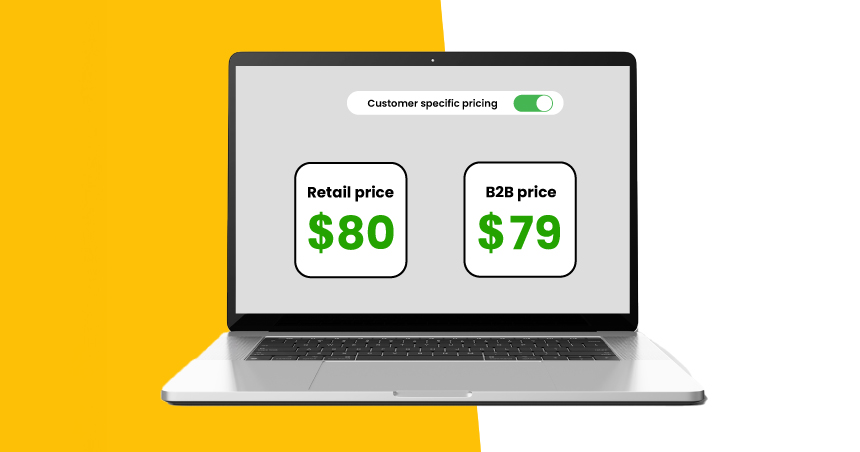
Forget about manually creating discount codes. With Shopify Plus B2B, you can manage pricing and product visibility directly within the platform.
⇨ Price Lists
You can set up as many price lists as you need, whether it’s fixed wholesale prices or percentage discounts for certain products or collections. Once assigned to a company account, the right prices show automatically when that buyer logs in.
⇨ Customer-Specific Catalogs
For manufacturers with regional distributors or exclusive product lines, you can assign an entire product catalog to a specific company, effectively restricting visibility of certain products from both your retail customers and other B2B clients.
⇨ B2B Checkout & Payments
B2B buyers have different needs at checkout, most notably the requirement to order on credit.
⇨ Net Payment Terms (Net 30, Net 60)
The crucial B2B feature is now native to the checkout. You can assign terms (e.g., Net 30, Due on Fulfillment) to a Company Location. When a B2B buyer checks out, the payment due date is automatically calculated and tracked in the admin, replacing manual invoicing.
⇨ Purchase Orders (PO) & Vaulted Credit Cards
B2B Checkout includes custom fields for entering Purchase Order numbers, a non-negotiable requirement for many corporate buyers. Buyers can also securely vault credit card information at the company level for faster re-ordering.
⇨ Automation with Shopify Flow
For Plus merchants, Shopify Flow is the key to scaling without hiring. You can use this native automation tool to:
⇨ Wholesale Tagging
Automatically tag a new customer who submits a B2B registration form and assign them a default Price List.
⇨ Payment Reminders
Automatically send emails when a Net 30 payment is due or past due.
⇨ Draft Order Creation
Automate the generation of a draft order and send it to a sales rep when a high-value quote request is received.
Path B: The Accessible Solution (Standard Plan + App Stack)
For merchants on the Basic, Shopify, or Advanced plans, achieving a consolidated B2B operation is entirely possible, though it requires leveraging a strategic "app stack" to replicate the Plus features. This is the most cost-effective path to test the B2B waters.
⇨ The Core Mechanism: Customer Tags & The Tiers
Without native Company Profiles, your customer segmentation relies entirely on the basic Shopify feature of Customer Tags.
⇨ The Foundation
Every approved wholesale client must be manually or automatically tagged with a label like “Wholesale Customer.” This tag acts as the key that all your B2B apps will look for to trigger special pricing, access, and features.
⇨ Tier 1: Pricing & Discounts
Since standard Shopify doesn't support customer-specific pricing, you must use a dedicated B2B pricing app.
⇨ Functionality
When the app detects the tag, it dynamically changes the displayed price on the product page and in the cart to the pre-set wholesale rate.
⇨ Tiered Pricing
Apps can also support volume pricing (e.g., 10% off for 50 units, 15% off for 100 units), which is critical for incentivizing bulk orders from B2B clients. Importantly, the app ensures retail customers see only the standard price, providing the necessary privacy.
⇨ Tier 2: Access & Gating (The Security App)
To keep your sensitive wholesale prices and products hidden, you need a content gating app.
⇨ Functionality
Apps can be configured to restrict access to specific pages or collections. For instance, you could create a collection titled "Wholesale Catalog" and set the app to only unlock that collection for customers logged in with the "Wholesale Customer" tag. Public visitors will be redirected to a dedicated B2B login or registration form.
⇨ Bulk Ordering & Quote Requests
The retail "Add to Cart" button is inefficient for B2B buyers who need 50 units of 12 different SKUs.
⇨ Quick Order Forms
Integrating apps into a streamlined, one-page bulk ordering spreadsheet. Customers can enter quantities by SKU/variant for multiple products and add them to the cart instantly, eliminating unnecessary page loads and accelerating the purchasing process.
⇨ Quote-to-Order
For custom orders or complex negotiations, utilize a Quote Request app. This allows a B2B lead to submit a wishlist of items. Your team then reviews the request, manually sets the price, and converts it into a Shopify Draft Order, which is sent to the customer for easy payment.
Essential Structural & Operational Must-Haves (For Both Paths)
Regardless of whether you choose Path A (Plus) or Path B (App Stack), these four operational pillars are necessary to run a professional, unified B2B store.
⇨ The Wholesale Registration Funnel
Your B2B customers cannot simply use the standard retail sign-up form. A robust approval process is mandatory.
Step 1: Custom Registration Form
Create a dedicated, customized registration form using an app (for standard plans) or a dedicated customer account page (for Plus). This form must collect required business-specific information: Company Name, EIN/Tax ID, Resale Certificate upload, and business website.
Step 2: Manual Approval & Tagging
Once submitted, the application should not grant immediate access. Your team must manually review the application (checking for a valid business license/resale certificate). Upon approval, your team manually applies the "Wholesale Customer" tag (Standard plans) or creates the new Company Profile (Plus). Only then is the customer invited to log in and access their special pricing.
⇨ Tax Exemptions
Sales tax is the single biggest complexity when selling B2B. Wholesalers and resellers are typically tax-exempt.
Handling Exemption
After the customer provides their valid resale certificate, you must flag their account.
⇨ Minimum Order Quantities (MOQs)
B2B sales rely on scale. You must enforce minimum purchase rules to maintain profitability.
Enforcement
MOQs can be enforced at the:
Implementation
Shopify Plus handles quantity rules natively within the price list/catalog settings. Standard plans require the Tier 1 pricing app to manage these rules and block checkout if the requirements are not met.
⇨ B2B Storefront UX
A seamless user experience is critical for retaining B2B customers. They should never see a feature meant for retail.
Gated Navigation
Use conditional logic in your theme's Liquid code or your access control app to create a distinct Wholesale Navigation Menu. This menu, visible only when a B2B customer is logged in, should link directly to their bulk order forms, account management portal, and private catalogs, effectively hiding all retail-specific links and promotions. This provides a professional, dedicated environment that feels like a standalone portal.
Conclusion
The old idea of using two separate Shopify stores for retail and wholesale was a headache we finally got rid of. Why double your work? Today, it’s much simpler to manage everything in a single store. That means clean operations, accurate data, and a consistent brand no matter who's shopping. Whether you use the native features of Shopify Plus or a stack of apps, you can easily set custom pricing and unique checkout rules for different customers, all on one platform.
Frequently Asked Questions (FAQs)
You ensure pricing privacy through tight customer segmentation and access control. Only customers who are logged in and have the correct wholesale tag (Standard) or are linked to a Company Profile (Plus) will ever see the custom pricing and wholesale catalog.
The Company Profile (a key Plus feature) is a single, powerful record representing the entire business, not just one person. It allows you to manage multiple buyers with different permissions, set up various shipping locations, and handle everything under one central entity.
On Shopify Plus, you can natively set and track Net Payment Terms (like Net 30/60) directly within the admin. If you're on a standard plan, you'll need to use a dedicated app or convert the order to a Draft Order for credit-based invoicing.
MOQs (Minimum Order Quantities) are just rules to ensure wholesale orders are profitable. You can enforce them at the cart level (minimum dollar amount) or the product level (case packs). Your pricing app or Plus settings will block the checkout if those rules aren't met.
Yes, absolutely. But first, they must go through your official B2B registration and approval process. Once you approve them, you update their existing customer record with the appropriate tag or Company Profile to unlock