Summary
A Shopify development store setup is a game-changer for any developer who needs to ensure the smoothness of client projects and effectively showcase their work.
Creating a development store means more than just getting an accessible, flexible environment to test and build. Instead, you unlock valuable tools to make collaboration with clients more manageable and effective in such processes.
If you plan to provide long-term Shopify store development services, joining the Shopify Partner Program will be great. It offers ongoing support for your clients, partner resources, and other revenue opportunities that help your business grow by building long-lasting connections with your clients.A Shopify development store is necessary to make developing and testing an eCommerce store easy for developers.
These development stores let you experiment with apps, themes, and customizations under the Shopify Partner Program without any monthly fee.
eCommerce sales are predicted to exceed $7.9 trillion by 2027, so shoppers anticipate upgraded online shopping experiences.
This is where Shopify's program can help. This robust program involves commission opportunities, so developers and clients are in for a win-win.
A good Shopify development store supports troubleshooting, refining, and then releasing a polished store to ensure client satisfaction and to remain competitive in today's eCommerce industry.
Table of Contents
What is a Shopify Development Store?
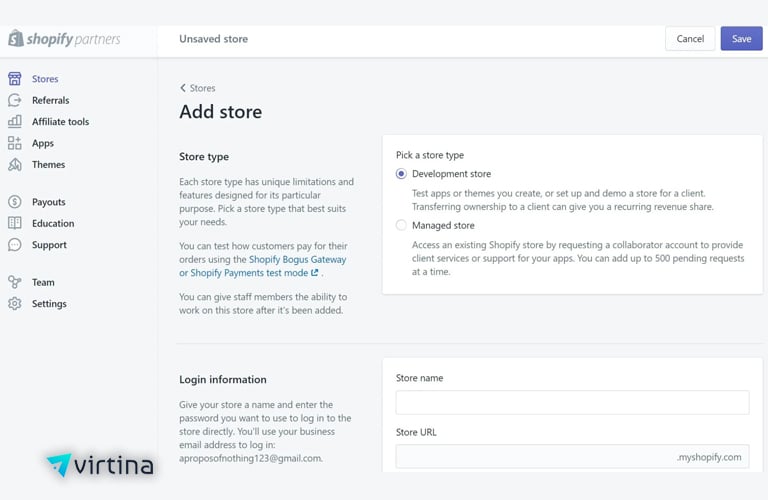
A Shopify Development Store refers to a sandbox environment within the Shopify platform that enables developers to create, test, and enhance eCommerce stores without the additional baggage of going live and publicizing the site.
It's a secure, experimental space where you can try out different ideas, customize features, and develop functionalities before launching the online store.
Shopify Development Store is exceptionally versatile.
Developers mainly use it to build client sites, allowing them to have hands-on experiences with the customizations and layouts they will use.
It's also perfect for testing apps in real-world scenarios, ensuring everything runs well, from functionality to the user experience, before any new app or feature is released.⇨ Key Features of a Shopify Development Store
How to Create a Development Store in Shopify?
Creating a Shopify development store is likely one of the most important tasks because no subscription fees are involved in creating, testing, or customizing Shopify stores.
Here are the steps to get your Shopify development store up and running.
⇨ Step 1: Sign Up for the Shopify Partner Program
You will first need to sign up to Shopify's Partner Program. The program offers access to many tools and resources, and it provides a dedicated dashboard from which you manage your development stores and client accounts. You can sign up this way:
⇨ Step 2: Navigate the Partner Dashboard
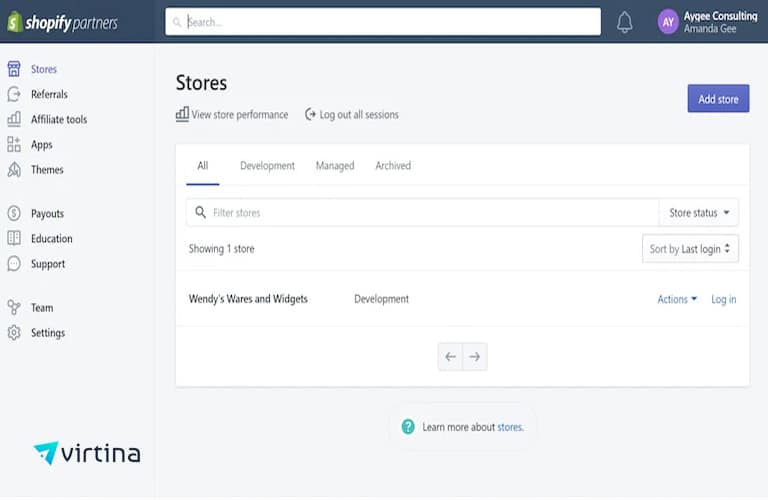
Once you create your account, you will be granted a portal into the Shopify Partner Dashboard. That is where it all gets centralized—you'll be able to control all of your development stores, track your clients, and monitor performance in general.
⇨ Step 3: Creating the Development Store
After setting up your Partner Account and access to the dashboard, you will set up a new development store. A development store doesn't incur monthly fees and is only used for testing and building.
Pro Tip: If available, enable the Developer Preview setting. This setting commonly allows you early access to Shopify's future features; you can play with new tools before they are officially released. It is useful when preparing for updates or testing compatibility with new features.
Customizing and Building the Shopify Development Store

Once your Shopify development store is set up, you can customize it to fit your brand and enhance the online shopping experience.
Here's how to do it:
⇨ Choose a Theme and Customize the Design
⇨ Set Up Basic Configurations
⇨ Customize Permissions for Multiple Users
Preparing the Store for Transfer

You want the handoff of the Shopify development store to be clean and flawless by the time you have to give it to the client.
So, here is a step-by-step method to get everything in order.
How to Transfer a Shopify Development Store to a Client?
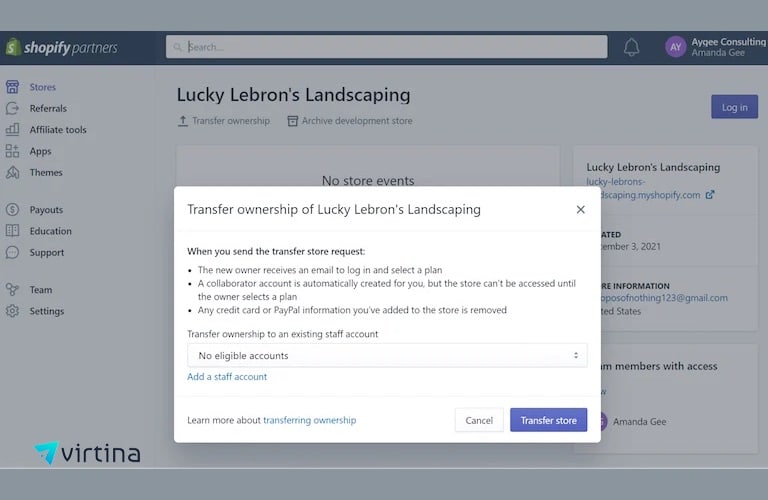
Transferring a Shopify development store to a client is easy. Still, a few key steps are involved to ensure everything is handed over smoothly and securely.
Here are the necessary steps, from accessing the store in your Partner Dashboard to transferring ownership and assisting your client with the final setup:
⇨ Step 1: Accessing the Store in Your Partner Dashboard
⇨ Step 2: Transferring Ownership
Now that you are at the settings page of your store, you can start initiating the ownership transfer. It is pretty easy for Shopify, but it is very crucial to get it done step by step below:
When transferring your Shopify store, the company ensures that you and your client are protected from fraudulent transfers.
For instance, you may be asked to identify yourself to confirm if the client's contact information is accurate.
These are safety features against all unauthorized transfers; therefore, do not omit them. After the transfer, you will not have admin privileges in your store; ensure all configuration and customization work is completed before the transfer.
⇨ Step 3: Client Acceptance and Billing Setup
In an ownership transfer, your client will receive an email prompting them to accept the transfer. It is better to notify them of this first so they are alerting them of something to be expected of such an email.
As soon as your client accepts the transfer to the store, prompt them to set up their billing details.
Now would be the time to make recommendations regarding the Shopify plans pertaining to the size and functionality of the stores.
For a small business or a first-time store, Basic Shopify is probably all that is needed. However, for more extensive or complex stores, Shopify or Advanced Shopify might provide better tools and capacity for scaling up.
⇨ Post-Transfer Considerations
Once you have transferred a Shopify store to a client, here are a few things you might want to do to make sure they have a smooth handover and feel empowered to manage the new site:
⇨ Provide Access to Support Resources
⇨ Educate Clients on Basic Shopify Management
⇨ Discuss Recurring Revenue or Commissions
Post-Transfer Considerations
Once you have transferred a Shopify store to a client, here are a few things you might want to do to make sure they have a smooth handover and feel empowered to manage the new site:
⇨ Provide Access to Support Resources
⇨ Educate Clients on Basic Shopify Management
⇨ Discuss Recurring Revenue or Commissions
Common Issues and Troubleshooting
Focusing on the common issues and their solutions can help you successfully build and transfer a Shopify Development store.
Here are a few common issues when transferring a Shopify development store to a client.
⇨ Addressing Common Transfer Errors
⇨ Handling Post-Transfer Restrictions on Development Stores
⇨ Contacting Shopify Partner Support for Additional Help
Best Practices and Tips for a Smooth Transfer
When transferring a store, it is essential to be confident that the client's transition goes as smoothly as possible.
Here are a few best practices to help you make the transition seamless and productive: