Summary
Magento 2.4.6 lost regular support on August 11, 2026. If you run Magento Open Source, there is no extended patch window to fall back on, so you need a plan. The choice is to upgrade to a supported 2.4.x release or move to another platform, and the right answer depends on how much custom logic your store carries. This guide explains each date, the risks, the options, rough costs, and a 30-day plan.
Introduction
Many store owners learned about this date from a plugin vendor email or a developer, not from Adobe. If that was you, the practical questions are simple. Am I affected, how urgent is it, and should I upgrade or leave Magento?
This guide answers those questions in plain language and gives you a rough sense of cost and time. It is a decision guide, not a technical manual, and it is written for store owners and marketing and operations leads who need to brief a developer or agency. By the end, you will know your dates, your options, and what to do this month.
Table of Contents
- Summary
- Introduction
- Who is affected by the Magento 2.4.6 end of support?
- What does each Magento support date mean for your store?
- What actually changes now that regular support has ended?
- Does running an unsupported Magento version put your PCI compliance at risk?
- Does Magento Open Source get extended patches like Adobe Commerce does?
- How do PHP and server requirements affect your upgrade timeline?
- Should you upgrade Magento or move to another platform?
- How do your options compare side by side?
- How much do a Magento upgrade and a migration cost, and how long do they take?
- What drives upgrade effort more than anything else?
- How do you protect your SEO if you leave Magento?
- What mistakes should you avoid while deciding?
- What should you do in the next 30 days?
- People also ask
- Conclusion
- Frequently asked questions
Who is affected by the Magento 2.4.6 end of support?
Any store running Magento Open Source 2.4.6 or older is affected. Regular support for 2.4.6 ended on August 11, 2026, which means you are no longer on a version that Adobe actively maintains in its regular release cycle.
If you pay for Adobe Commerce, your position is softer, because Adobe Commerce customers get an extended support window for 2.4.6. If you run the free Open Source edition, which is what most mid-size Magento stores use, there is no equivalent safety net.
The quick test takes one minute. Log in to your Magento admin and read the version number in the footer. If it starts with 2.4.6 or lower, this guide is written for you. If you are on 2.4.7 or newer, you are covered for now, but your own deadline is closer than it looks, and the next section explains why.
It also helps to know who else should care. Agencies maintaining client stores, ERP and shipping integrators, and extension vendors are all moving their test matrices to newer versions. Even if your store looks fine today, the ecosystem around it is already shifting.
What does each Magento support date mean for your store?
Support dates sound abstract until you translate them into risk. Here is the plain version, using the dates Adobe has published for the 2.4 line.
| Version | Regular support ends | What it means for you |
|---|---|---|
| 2.4.6 | Aug 11, 2026 (passed) | No more regular releases. You are running on a version Adobe no longer maintains in the regular cycle. |
| 2.4.7 | May 31, 2027 | About eight months of regular support left. A short runway, not a destination. |
| 2.4.8 | May 31, 2028 | About 19 months of runway from today. |
| 2.4.9 | May 31, 2029 | The longest runway. Released in May 2026. |
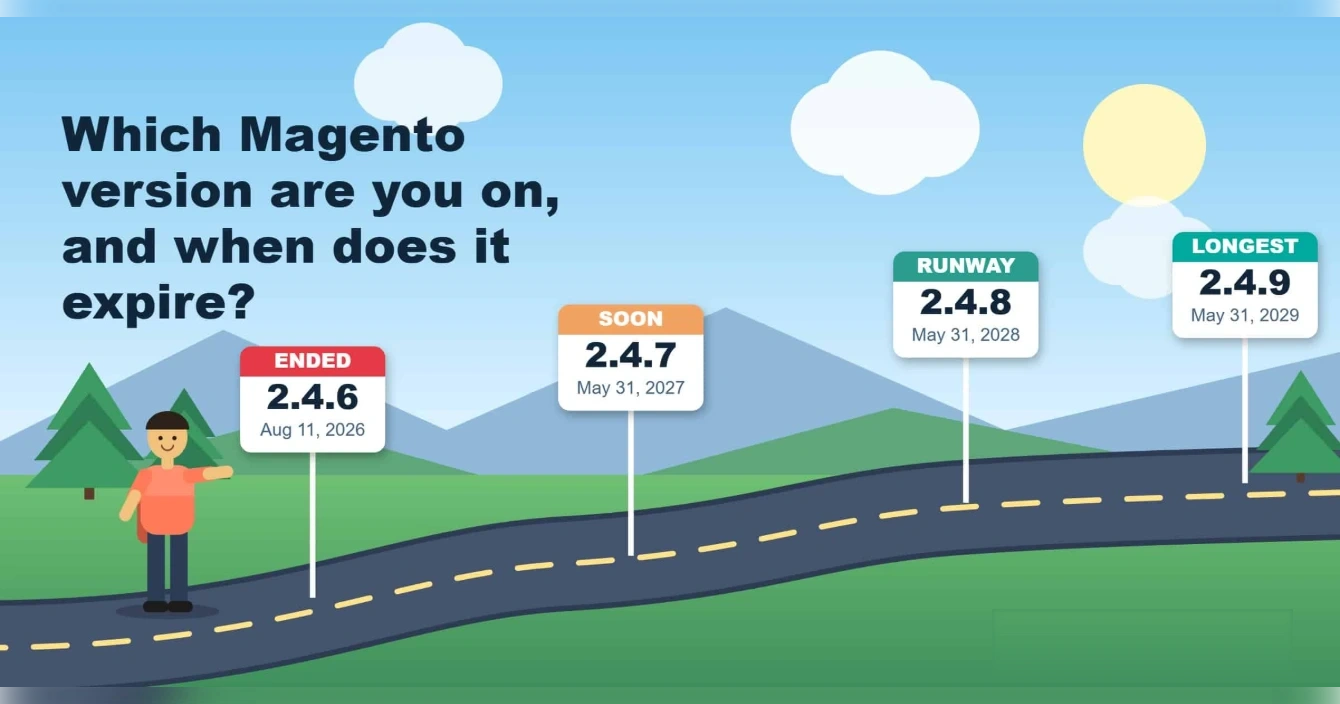
Regular support means Adobe ships fixes and security patches for that version. Once it ends, new vulnerabilities in Magento core or its dependencies may not be patched for your version. Third-party extension vendors also tend to stop testing against it, and some quietly drop it from their compatibility lists.
Notice the pattern in the table. Each new release gives you roughly three years of runway, but 2.4.7 has only about eight months left. If you are planning an upgrade, jumping straight to 2.4.8 or 2.4.9 usually makes more sense than landing on a version that expires next spring.
What actually changes now that regular support has ended?
Nothing breaks on the day support ends. Your store keeps taking orders, your admin keeps loading, and your customers notice nothing. That is exactly why this deadline is easy to ignore, and why it is risky.
What changes is the slow accumulation of exposure. Security researchers keep finding issues in PHP, in server software, and in libraries Magento depends on. On a supported version, the fixes arrive in a patch. On an unsupported one, you either backport them yourself or you accept the gap.
Extensions are the second pressure point. Payment gateways, shipping carriers, tax tools, and ERP connectors update their own APIs regularly. Their developers test against current versions first, so an old store finds that new releases of its extensions need newer Magento, and old releases of its extensions slowly go stale.
The third pressure point is people. Developers who know the newest Magento releases are easier to hire than those who want to keep nursing an old one, and agencies price legacy maintenance accordingly. Waiting rarely makes the work cheaper.
Does running an unsupported Magento version put your PCI compliance at risk?
It can. Payment card rules expect the software that touches card data to be supported and kept up to date with vendor security patches. An unsupported platform is a common finding when an auditor or acquiring bank reviews a merchant.
How strictly that applies to you depends on how you take payments. A store that sends shoppers to a hosted payment page has a smaller scope than a store that handles card data on its own checkout. Your acquiring bank or your assessor decides what is acceptable, not your developer and not Adobe.
The safest move is to ask them directly. Tell your payment provider or compliance contact which Magento version you run and when you plan to upgrade, and get their position in writing. That conversation is far cheaper before an audit than during one.
We are not your assessor, and this section is general information rather than compliance advice. For the broader picture of PCI and the four paths available to you, our earlier guide goes deeper: The August 2026 Magento Support Cliff.
Does Magento Open Source get extended patches like Adobe Commerce does?
According to the lifecycle summaries we reviewed, extended support after the regular window is an Adobe Commerce benefit, not an Open Source one. For 2.4.6, that extended window is reported to run to late August 2027, with security-only coverage after that.
For Open Source owners, that means the regular end date is the date that matters. Treat the extended dates as a reference for Adobe Commerce customers, and confirm the exact terms for your licence directly in Adobe’s lifecycle policy before you plan around them.
This is also why the dates can look more generous online than they feel in practice. A date that reads “extended to 2028” on a blog post may not apply to the edition you actually run. Always check the edition before you trust the date.
How do PHP and server requirements affect your upgrade timeline?
Magento versions are tied to specific PHP, database, and search engine versions, and those have their own end-of-life dates. PHP 8.2 security support ends on December 31, 2026, so a store stuck on an older PHP release is exposed from two directions at once.
Newer Magento releases also expect newer infrastructure. For example, Magento 2.4.8 targets PHP 8.4 or 8.3, and 2.4.9 targets PHP 8.5, along with MySQL 8.4 or a recent MariaDB release. Upgrading Magento therefore often means upgrading your hosting stack at the same time, which affects both cost and testing.
This is one of the most overlooked line items in upgrade quotes. Ask whoever estimates your upgrade whether the price includes server changes, a staging environment, and performance testing on the new stack. A quote that covers only the Magento files is incomplete.
Should you upgrade Magento or move to another platform?
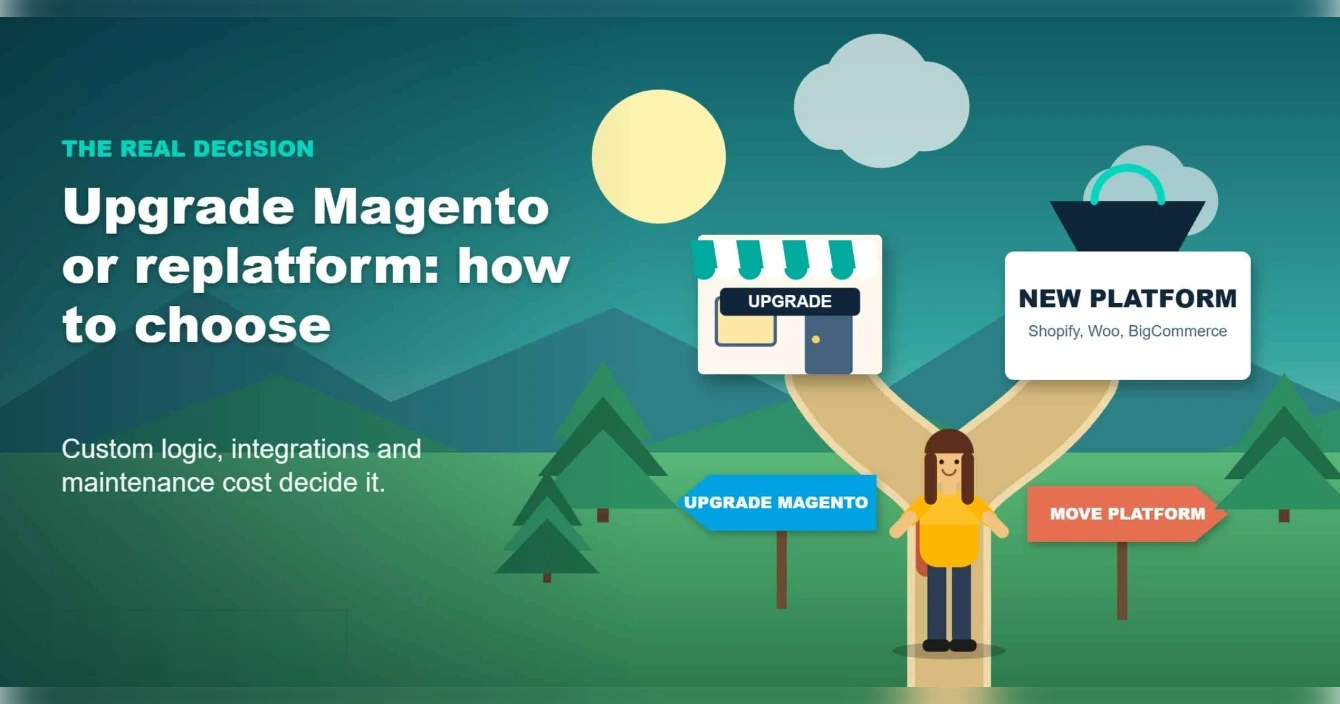
This is the real decision, and it is rarely about the end date itself. The end date is just the moment that forces the question.
When staying on Magento and upgrading makes sense
Upgrade when your store depends on things Magento does well. That usually means complex catalogs with many attributes, custom pricing rules, customer-group pricing, deep ERP or warehouse integrations, or B2B logic that you have already built and paid for. Moving those features to a new platform means rebuilding them, and that is where migration budgets balloon.
When moving to another platform makes sense
Move when your Magento store is expensive to maintain, slow to change, and mostly sells a simple catalog. In that case, an upgrade just renews a cost you were already unhappy with. Shopify suits simpler catalogs and teams that want less infrastructure, BigCommerce handles larger catalogs well, and WooCommerce suits teams that want control and a WordPress content engine.
See our Magento migration services page for how we scope either route, and our WooCommerce migration and Shopify migration pages if you already know where you are heading.
A useful tie-breaker
If you were already planning a redesign or a replatform in the next 12 months, do it now instead of paying for an upgrade you will throw away. Our guide on redesign or rebuild walks through the six calls that decide which one your store needs.
How do your options compare side by side?
There are more than two doors here, and the right one depends on your catalog, your team, and your budget. This table summarizes the main paths.
| Path | Best fit | Trade-off |
|---|---|---|
| Upgrade to 2.4.8 or 2.4.9 | Stores with custom pricing, ERP links, B2B rules, or a large extension set | Keeps your logic intact, but you keep paying to maintain Magento |
| Adobe Commerce (paid) | Larger merchants who need B2B depth and vendor-backed support | Licence and hosting costs are significantly higher |
| Community fork such as Mage-OS | Technical teams that want to keep their Magento investment and stay on a patched code line | Community-driven, so you need a partner who knows it well |
| Replatform to Shopify or BigCommerce | Simpler catalogs and teams that want less infrastructure to run | Rebuilds custom logic, so complexity raises the bill |
| Replatform to WooCommerce | Content-led brands and teams that want full control and a WordPress engine | Needs careful planning for large catalogs and B2B rules |
No path is universally best. The worst choice is the one made by default, which is usually “do nothing until something breaks”.
How much do a Magento upgrade and a migration cost, and how long do they take?
Real quotes depend on a technical audit, so treat everything here as directional, industry-typical ranges rather than a Virtina price list. The figures below come from a published 2026 industry guide and are meant to give you a sense of scale.
Upgrading to a supported 2.4.x release: published ranges run from a few thousand dollars for a lightly customized store to six figures for a heavily customized one, and typically take one to four months. Extension compatibility and custom code drive most of the variance.
Adobe Commerce: published estimates start in the tens of thousands of dollars per year for the licence alone, before implementation and hosting. It makes sense mainly for merchants whose B2B or enterprise needs justify it.
Replatforming: published ranges for a move to Shopify Plus or BigCommerce commonly start in the tens of thousands of dollars and run well past that for complex catalogs. Timelines of four to nine months are common once data migration, redirects, and testing are included.
The cheapest option is not always the one with the lowest invoice. An upgrade is cheaper today, but a platform you keep paying to patch can cost more over three years. Ask every vendor for a quote split into discovery, core work, infrastructure, extensions, integrations, testing, and SEO migration, so you can compare like with like.
What drives upgrade effort more than anything else?
Surprisingly, it is not Magento core. Core upgrades are well documented. The effort comes from everything you added on top of it.
Extensions: every third-party module needs a compatible release for your target version. Some are abandoned, and replacing them is real work. Custom code: overrides, plugins, and custom modules written years ago may rely on behavior that has changed. Theme: older themes often need rework for newer versions and for current performance expectations. Integrations: ERP, shipping, tax, and payment connections all need regression testing.
The fastest way to get an honest estimate is an audit that lists every extension and custom module, marks which have a compatible version, and flags what must be rebuilt. Without that list, any quote is a guess.
How do you protect your SEO if you leave Magento?
A platform move is one of the riskiest moments for organic traffic, but the risk is manageable when it is planned. Most ranking losses after a migration come from a few avoidable mistakes.
Map every URL that earns traffic or links, and set up one-to-one 301 redirects before launch. Keep page titles, headings, and body content intact on the pages that rank. Preserve structured data, canonical tags, and your XML sitemap, then submit the new sitemap on launch day. Finally, monitor rankings, crawl errors, and indexed pages daily for the first few weeks.
If you stay on Magento and only upgrade, SEO risk is much lower, because your URLs and content do not change. That is one more reason an upgrade can be the lower-risk route for stores that already rank well.
What mistakes should you avoid while deciding?
Three mistakes show up again and again. The first is waiting for a security scare before acting, because emergency work costs more and gets rushed. The second is choosing a platform based on a competitor or a sales pitch instead of your own catalog and team. The third is skipping the audit, then discovering halfway through that a key extension has no compatible version.
A fourth, quieter mistake is treating an upgrade as a pure technical task. It is also a chance to remove extensions you no longer use, clean up your catalog, and fix the speed problems your customers have been quietly putting up with.
What should you do in the next 30 days?
You do not need to decide everything this week, but you should not leave it open either. A sensible order looks like this.
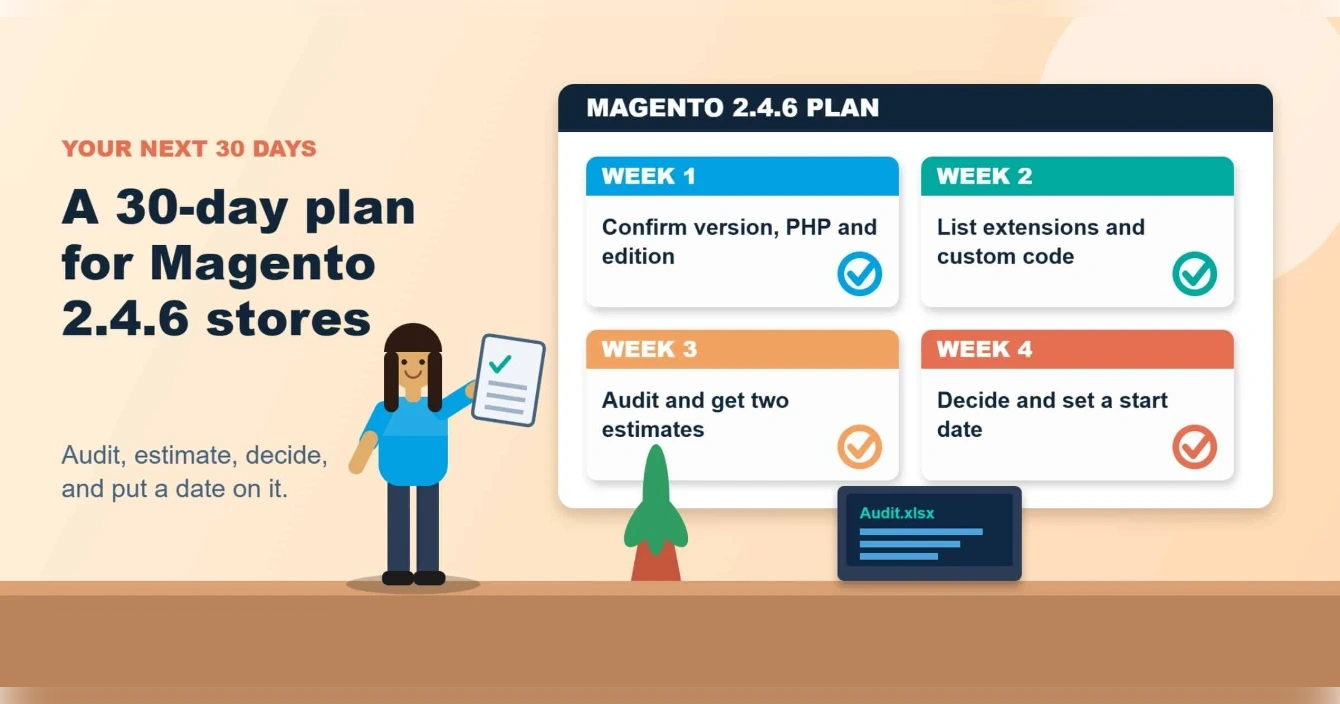
Week 1: confirm your exact Magento version, PHP version, and edition. Tell your payment provider or compliance contact where you stand. Week 2: list every extension and custom module, and check which have releases for 2.4.8 or 2.4.9. Week 3: run a technical audit and collect two estimates: one for upgrading and one for migrating. Week 4: decide with numbers in front of you, and put a start date on the decision.
If you would like a second opinion, talk to our Magento team and we will tell you plainly whether upgrading or moving fits your store.
People also ask
Is Magento 2.4.6 still supported?
Regular support ended on August 11, 2026. Adobe Commerce customers have an extended window, but Open Source does not.
Which Magento version is supported now?
2.4.7, 2.4.8, and 2.4.9 are within regular support, ending May 2027, May 2028, and May 2029 respectively.
Can I stay on Magento 2.4.6?
You can, but you carry the security and compatibility risk yourself, and your payment or compliance contact may have a view.
Is Magento Open Source being discontinued?
What ended is the support window for older versions, not the product itself. Check Adobe’s current announcements for the latest position.
Is it cheaper to upgrade or to migrate?
Upgrades are usually cheaper up front. Migration can win over several years when your Magento maintenance costs are high.
Conclusion
Magento 2.4.6 is out of regular support, and Open Source stores do not get an extended window to hide behind. The date does not force a panic, but it does force a decision.
Upgrade if your store depends on custom logic and integrations that are costly to rebuild. Move if your Magento build is costly to maintain and your catalog is simple. Either way, ask your payment contact where they stand, get an audit, get numbers, and set a date. If you want help weighing it, our Magento migration services team is happy to review your store.
Frequently Asked Questions
Is my Magento 2.4.6 store going to stop working?
No. Your store keeps running. What changes is that new security issues may go unpatched for your version, and extensions and integrations gradually stop supporting it.
Is it safe to stay on 2.4.6 for another year?
It is a risk you should accept deliberately, not by default. Payment card rules expect timely security patches, so check with your payment provider or compliance contact before you decide to wait.
Which version should I upgrade to?
Most stores target the newest release that their extensions and hosting support. 2.4.9 has the longest support runway, while 2.4.8 is a common stepping stone if an extension is not ready yet.
How long does a Magento upgrade take?
A lightly customized store can often be done in a few weeks. Heavily customized stores, or stores with many extensions, can take a few months once testing is included.
Can I skip versions and upgrade straight to the latest?
Usually yes, but each jump needs its extensions and PHP stack to be compatible. An audit tells you whether a direct jump is safe or whether you need a staged path.
Will moving off Magento hurt my SEO?
It can if redirects, URLs, and metadata are not planned. A well-run migration maps every important URL, keeps content intact, and monitors rankings after launch.
Do I need Adobe Commerce to stay supported?
Not necessarily. Upgrading Open Source to a supported 2.4.x release keeps you inside regular support. Adobe Commerce adds extended support and extra features, at a higher cost.
What is the first thing I should do this week?
Confirm your exact Magento and PHP versions, then ask a developer for an extension and custom code audit. Everything else, including the upgrade or migrate decision, depends on that list.