Summary
Yes. Migrate from Volusion to WooCommerce if you have hit billing caps, integration dead ends, or SEO limits.
Volusion upgrades your plan automatically when you cross sales thresholds. No warning. No consent.
WooCommerce has no sales caps, no bandwidth fees, and an open API.
Migration takes 1-8 weeks depending on store size. This article covers the full picture.
Introduction
Volusion’s billing model works against you as your store grows.
Cross $50,000 in annual sales and your plan upgrades automatically. The price moves from $35 to $79 with no email and no consent.
Cross $100,000 and it jumps to $299. Merchants have reported charge increases of 600% in a matter of weeks.
This article covers why Volusion merchants hit a ceiling, when that frustration becomes a decision to leave, and what the Volusion to WooCommerce migration actually involves.
Table of Contents
- Why do Volusion merchants keep hitting a wall?
- When should you migrate from Volusion to WooCommerce?
- How does a Volusion to WooCommerce migration work?
- What does WooCommerce give you that Volusion cannot?
- People also ask
- Conclusion
- Frequently asked questions
Why do Volusion merchants keep hitting a wall?
Billing caps, integration limits, and SEO restrictions are the three walls most Volusion merchants hit.
Billing caps
Volusion’s Personal plan allows $50,000 in annual sales. Cross that threshold and Volusion automatically upgrades your account to Professional at $79/month. Cross $100,000 and it moves to Business at $299/month.
There is no warning email. No consent is requested. The charge just appears. Bandwidth overages add $7 per gigabyte on top. Merchants have reported 600% charge increases in a matter of weeks.

Integration limits
Volusion’s app marketplace has roughly 80 apps and a proprietary API. Because the API is proprietary, most developers avoid building on it. If the tool your store needs is not in that marketplace, there is no path around it.
For growing stores, this is a ceiling, not a minor inconvenience. The gap between Volusion’s 80 apps and WooCommerce’s 60,000 plugins is the difference between a closed system and an open one.
SEO dead ends
Volusion has no native blogging. Content-driven traffic is blocked entirely. URL canonicalization issues confuse search crawlers. Schema markup support is limited.
These structural SEO limits compound quietly. Most merchants only notice the damage when a competitor on WooCommerce has years of blog content ranking above them.
B2B limits
For merchants running wholesale, Volusion has no native tiered pricing by customer role, no wholesale registration workflows, and no quote request tools. The WooCommerce B2B contrast starts at the feature level.
StoreLeads 2026 data shows Volusion at 3,526 active stores. That is down from 13,889 in Q1 2020. A 75% decline in six years.
When should you migrate from Volusion to WooCommerce?
Migrate when staying costs more than moving.
That calculation has a few clear inputs. If Volusion has auto-upgraded your plan past your planned monthly spend, the cost of staying is already measurable. If a competitor on WooCommerce is outranking you on content your platform cannot support, the cost shows up in lost traffic.
If the integration your store needs does not exist in Volusion’s marketplace, you are paying with lost capability. Wholesale merchants face an additional pressure: Volusion has no tiered pricing and no wholesale registration workflow.

Volusion filed for Chapter 11 bankruptcy in June 2020. The company continued operating. But the question it raised does not go away.
The 2019 data breach adds a harder reason. Data from 239,000 customers across 6,589 stores was stolen, causing $133.89 million in damages. On Volusion, your data lives on Volusion servers. Not yours.
A thorough eCommerce migration checklist will prevent the most common mistakes when you decide to move.
How does a Volusion to WooCommerce migration work?
In four phases: data export, hosting setup, data transfer, and redirect mapping.
Phase 1: Export your Volusion data
Go to Admin, then Data Management, then Export. Pull products, customers, and orders as CSV files. The field names differ between Volusion and WooCommerce, and variant structures do not map one-to-one.
Budget 1-3 days for data cleanup before you import anything. Skipping this step creates product errors that are tedious to fix after launch.
Phase 2: Set up WooCommerce hosting
WooCommerce is self-hosted. You choose your own server. Managed hosts like WP Engine, Kinsta, or Cloudways reduce the operational burden. Performance depends entirely on your hosting environment.
This is not a commodity decision. Your hosting choice affects speed, uptime, and security. Treat it as seriously as you treat the migration itself.
Phase 3: Transfer data
Tools like LitExtension or Cart2Cart handle automated transfer, starting at $69. Run a test migration on a small product subset first. Check variant mapping, prices, and customer records before the full transfer.
Fix errors in the test pass before running the complete migration. Errors found after go-live are significantly more disruptive.
What does not migrate
- Store design. Your Volusion theme does not transfer. Treat this as a redesign.
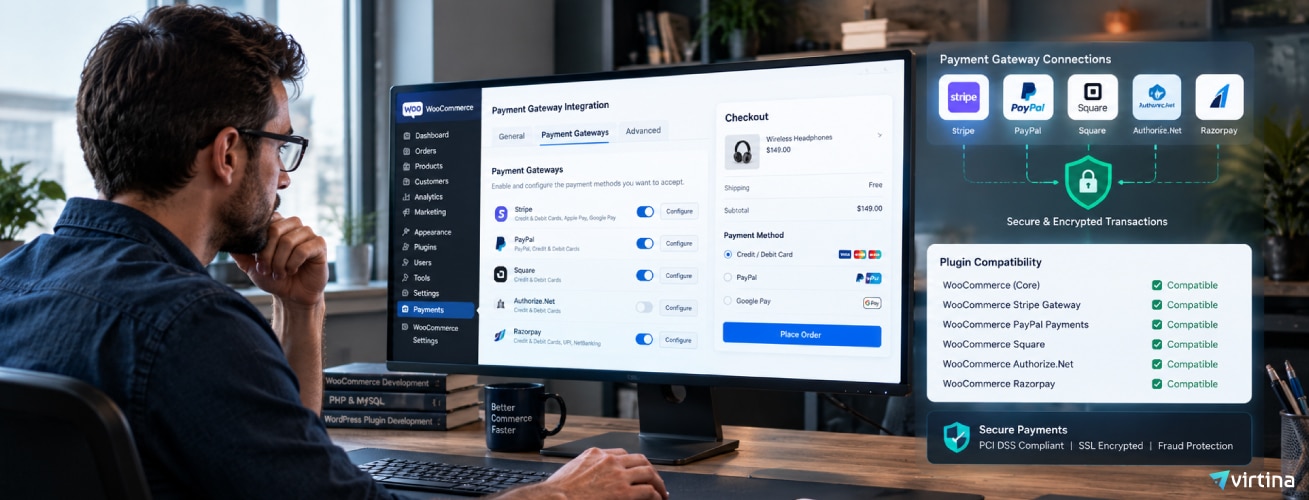
- Payment gateways. Stripe, PayPal, and Square all have WooCommerce extensions. New API keys are required.
- Tax rules and shipping zones. Must be rebuilt inside WooCommerce. No shortcut exists.
- SEO plugin. Install Yoast or RankMath before go-live. WooCommerce has no native meta fields.
Phase 4: 301 redirect mapping
Document every live Volusion URL before you start. Every URL that changes needs a 301 redirect to its WooCommerce equivalent. Missing redirects cause Google to treat new pages as brand new, and you lose rankings on pages that took years to build.
Map all pages before DNS cutover. Implement redirects before go-live. Order storage setup also needs attention for large order histories.

The honest trade-off
WooCommerce is not simpler than Volusion. It is more powerful. But you take on more responsibility. Hosting management, plugin updates, and security patching are now your job.
Plugin conflicts are a real ongoing risk. A WooCommerce developer is not optional for stores with SEO rankings or B2B requirements. Theme build, redirects, and integrations need professional judgment.
How long does migration take?
- Small stores with straightforward catalogs: 1-3 weeks
- Large stores with complex catalogs or significant SEO footprint: 4-8 weeks
- Data transfer is the fastest part of the project
- Design, redirects, and integration rebuilds take the most time
What does WooCommerce give you that Volusion cannot?
No sales caps, an open API, full data ownership, and real SEO tools.
Pricing that does not work against you
WooCommerce has no sales caps at any revenue level. No automatic plan upgrades. No bandwidth fees. You pay for hosting and the extensions you choose. That is the entire cost structure.
Integrations
WooCommerce has 60,000 plugins versus Volusion’s 80-app marketplace. Klaviyo, Mailchimp, QuickBooks, Xero, NetSuite, and ShipStation all have native integrations. The open API means any developer can build on it.
See the full scope of the WooCommerce platform to understand how wide this gap becomes when you need custom functionality.
Data ownership
On WooCommerce, your database lives on your server. No third party can lock your account or freeze your funds. No platform bankruptcy puts your store at risk.
WooCommerce SEO control
WooCommerce URL structures are clean out of the box. Blogging via WordPress is native. Full schema markup via Yoast or RankMath requires one plugin.
WordPress powers 43% of all websites. The SEO tooling is mature, well-supported, and maintained by a large developer community. For stores hitting Volusion’s SEO ceiling, this is the biggest structural win.
WooCommerce B2B features
- Tiered pricing by customer role
- Wholesale registration workflows
- Quote request tools
- Customer-specific catalog visibility
- Plugins like B2BKing, WholesaleX, and Wholesale Suite cover the wholesale layer
None of these features exist natively in Volusion. For B2B merchants, this is not a minor gap.
People also ask
Is Volusion still in business?
Yes. Volusion filed for Chapter 11 in June 2020 and emerged from bankruptcy. It is still active, but the platform has lost 75% of its stores since 2020. From 13,889 stores in 2020 to 3,526 in May 2026.
Investment in new features is limited. Third-party agency support has declined. The platform works for simple stores but is not gaining ground.
How long does a Volusion to WooCommerce migration take?
1-3 weeks for small stores. 4-8 weeks for large or complex stores.
Data transfer is the fastest phase. Design rebuild, redirect mapping, and integration setup take the most time. Rushing any of those three phases creates problems that outlast the migration itself.
Will I lose SEO rankings when migrating from Volusion to WooCommerce?
No, if 301 redirects are correctly implemented before DNS cutover.
Every Volusion URL that changes needs a redirect to its WooCommerce equivalent. Missing redirects cause traffic drops. Google treats new URLs as new pages, so rankings must be re-earned from scratch.
Most stores recover to pre-migration rankings within a few months. Many improve because WooCommerce’s URL structure is stronger than Volusion’s.
How much does a Volusion to WooCommerce migration cost?
Data transfer tools start at $69. That covers data only. Not design, not redirects, not configuration.
A full migration with theme, redirects, plugins, and testing requires developer time. Cost scales with store size and catalog complexity.
Savings from eliminating Volusion plan fees often offset the investment within a year.
Conclusion
WooCommerce is not simpler than Volusion. Be clear on that.
You take on hosting, plugin choices, and more operational responsibility.
If your store is under $30,000 in annual sales, Volusion may still work.
But if you have hit the billing caps, the integration dead ends, or the SEO ceiling:
Migration is a project with a defined scope and a defined end date.
It is not a catastrophe. It is a decision.
Virtina’s team has run this project hundreds of times.
The conversation is worth having before you build the plan.
Frequently asked questions
Can I keep my Volusion store live during the WooCommerce build?
Yes. Build on a staging URL. Keep Volusion live until you are ready.
Cut over DNS only when WooCommerce is fully tested and redirect-mapped.
DNS propagation takes a few hours. That is your only real downtime.
Keep your Volusion account active for 30 days post-launch for order reference.
What happens to customer passwords during migration?
Volusion uses a proprietary password format. It cannot convert to WooCommerce’s format.
Customer names, addresses, and order history migrate. Passwords do not.
Customers get a password reset prompt on first login.
Email your customers before cutover. It prevents a flood of support tickets.
Do I need a developer for a Volusion to WooCommerce migration?
For a basic store with no custom integrations, automated tools handle the data transfer.
But theme rebuild, redirects, SEO setup, and custom work need technical judgment.
For any store with SEO rankings or B2B requirements, a developer is not optional.
Getting redirects wrong creates problems that outlast the migration itself.
What happens to Volusion payment processing after migration?
Volusion’s gateway adds 0.35%-1.25% on top of standard processing fees.
On WooCommerce you choose your own gateway.
Stripe, PayPal, Square, and Authorize.net have official WooCommerce extensions.
Re-establish merchant processing before DNS cutover if you were on Volusion Payments.
What data can I export from Volusion?
Products, customer accounts, orders, and category structure export as CSV.
Store settings, custom fields, and theme assets do not transfer.
Export all SEO meta titles and descriptions before you leave Volusion.
You will need them to restore meta data inside WooCommerce’s SEO plugin.
Ready to make the move? See our Volusion migration services for how we move products, customers, orders and SEO rankings off Volusion.